
NVR Version | XX.8.0.6 | Update | 2018.7.24 |
Regular recorded files can be backed up by various devices, such as USB flash drives (USB flash disk, USB HDDs, USB writer), CD/DVD writer and eSATA, etc.
1.On monitor
Step1: Enter video playback interface by clicking “Main menu”→ “Playback”.
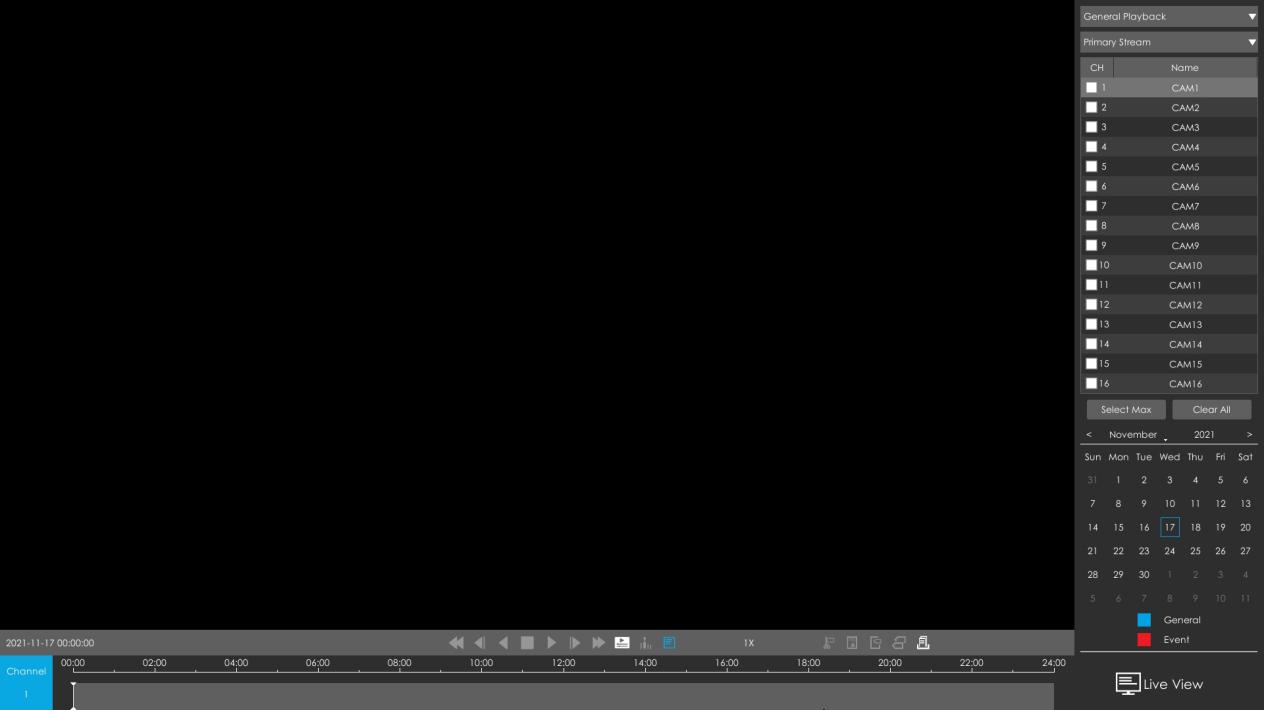
Step2: Select Recorded files for Backup.
Select Playback Type and Stream Type, and select the channel and the date you want to backup, then select the start time and end time in time line by clicking  .
.

Click “  ” button to save the clipped video files to File Management interface.

Step3: On File Management interface, select the video files and click “Export” button to back up the video files to your device.
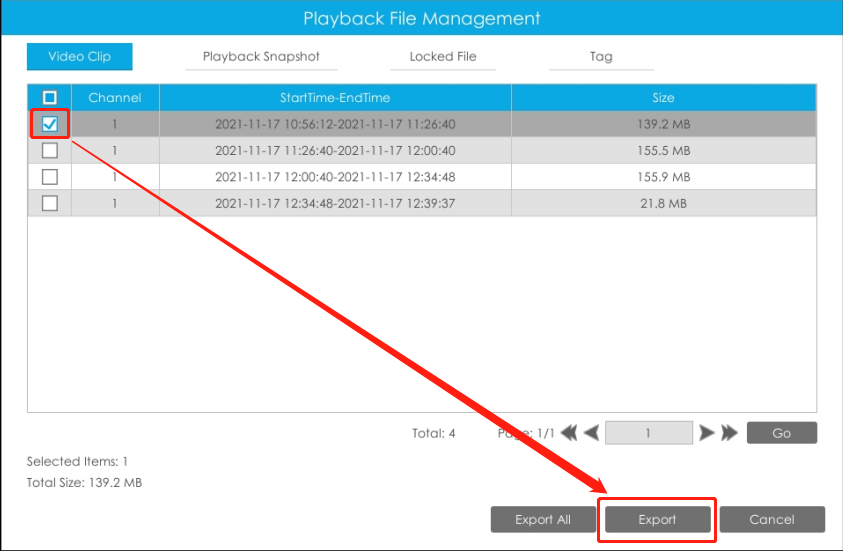
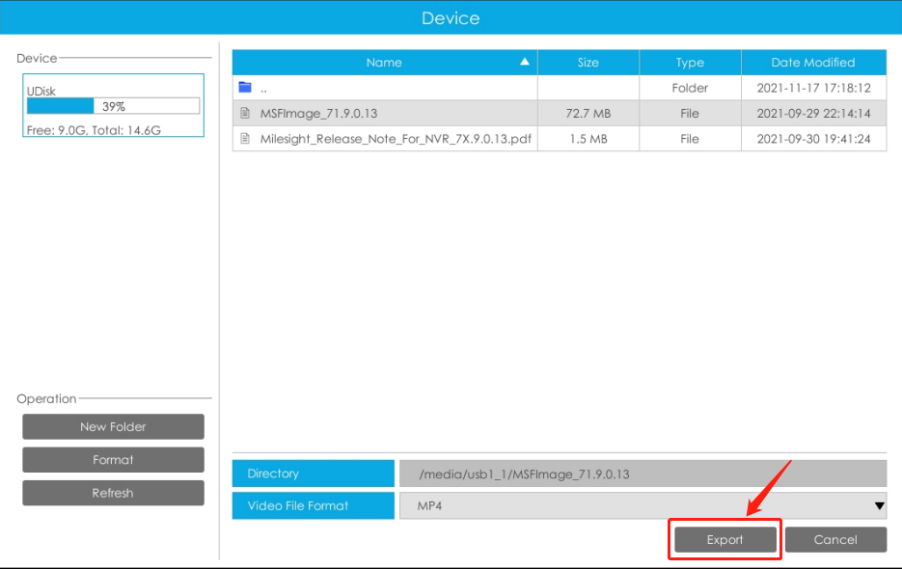
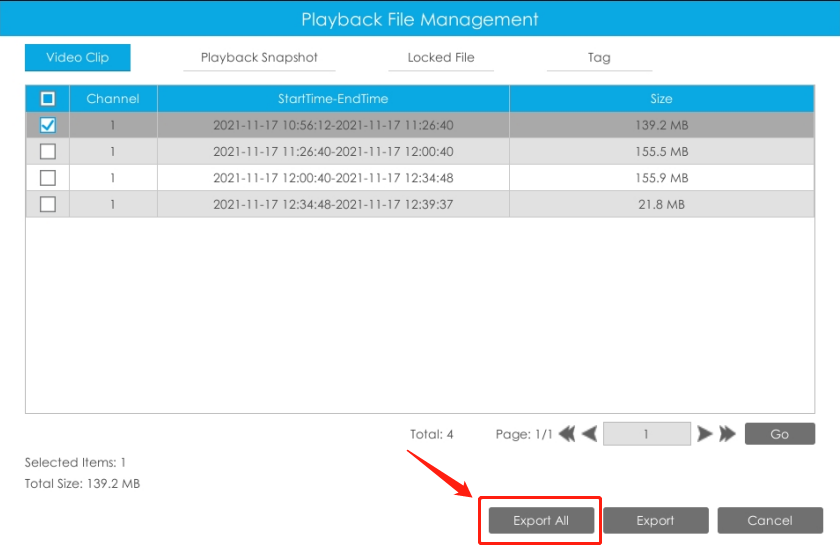
Or you can directly click ”Export All” button to back up all the video files.
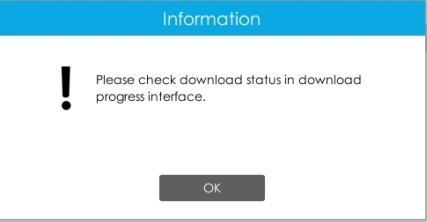
Step4: A pop-up window will remind you of the download progress.
b. In browser
Step1: Input your NVR’s IP address in your browser ,and click “  ”. Enter video playback interface.
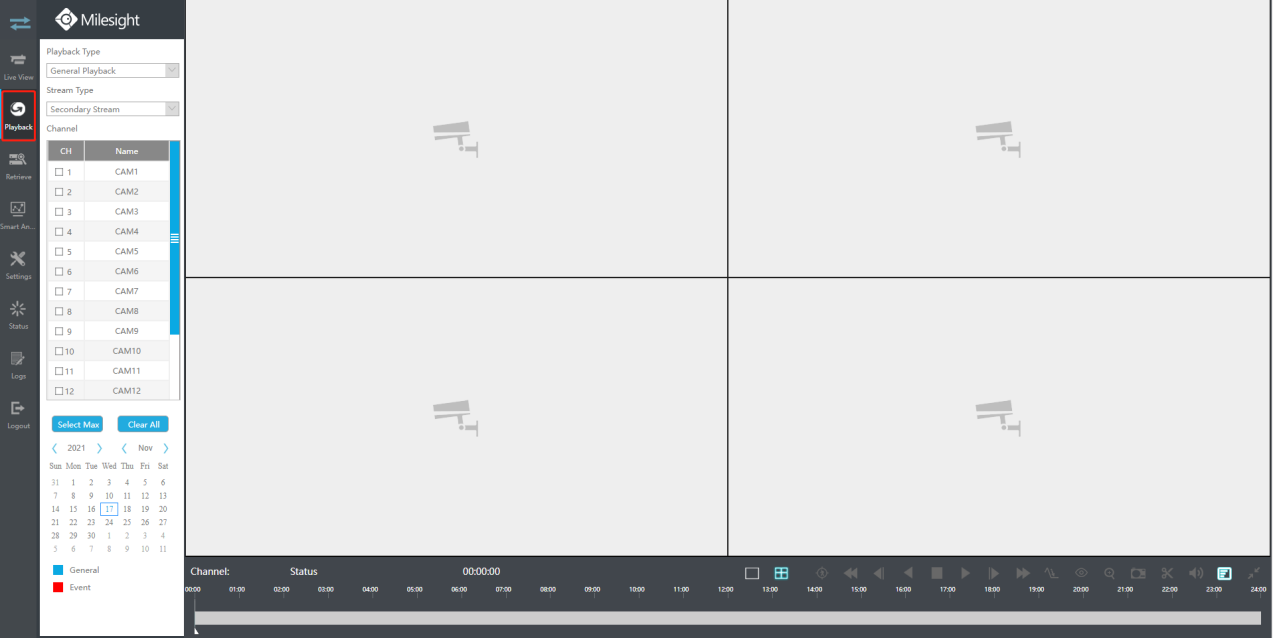
Step2: Select Recorded files for Backup.
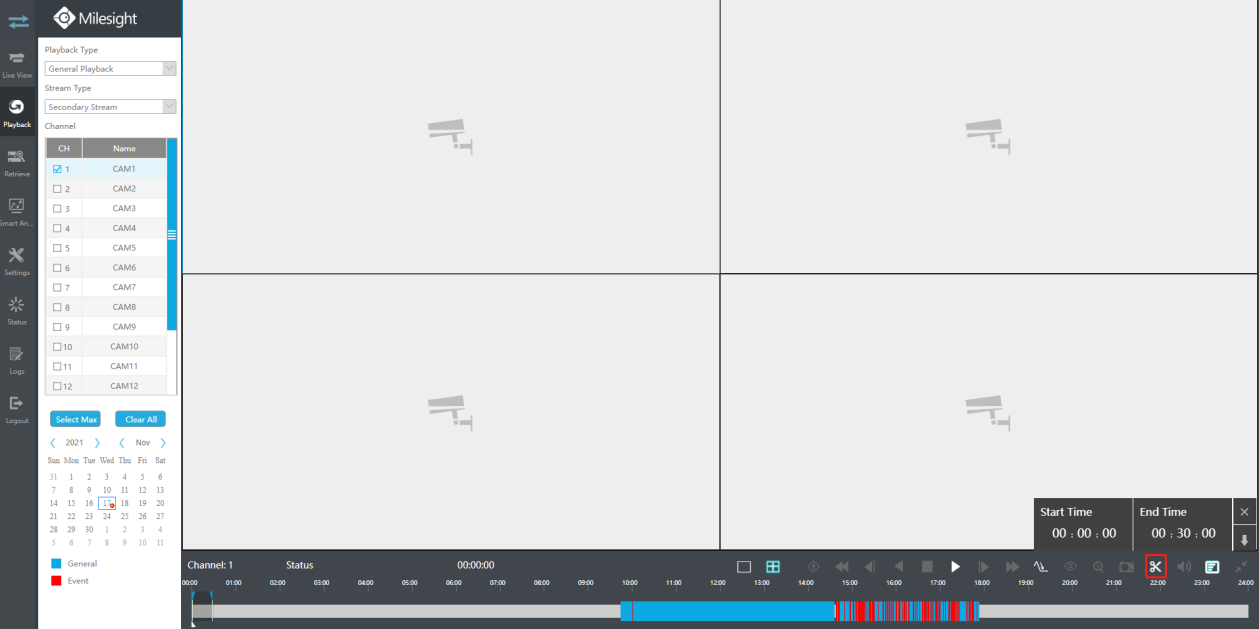
Select Playback Type and Stream Type, and select the channel and the date you want to backup, then select the start time and end time in time line by clicking “  ”.
”.
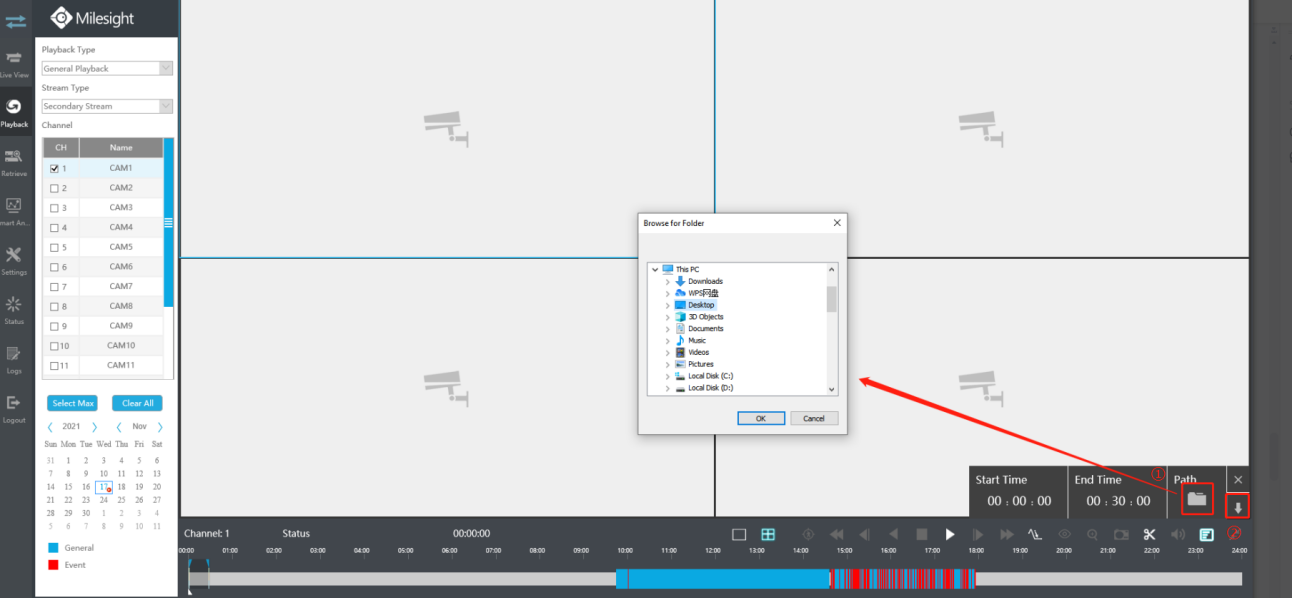
Step3: Click  to select the path where you want to save your video files. Then clicking
to backup.
-END-