
NVR Version | IPC Version | CMS Version | Update |
V7X.9.0.3 | V4X.7.0.69 | V2.4.0.4 | 2019.3.21 |
Milesight Camera, NVR and CMS provide clients with friendly local interface and web interface for multiply languages to configure the features, if the language of your country is not included in our released languages, you can translate it by yourself.
1. Prepare
Please download the Notepad++ from https://notepad-plus-plus.org/, and install it.
Open then language file by Notepad++ which would have a great help.
2. Translation
2.1 Camera Web GUI File Translation
Step1: Open the local GUI language file named <en_US.js>. This file takes effect on Milesight camera web.
Step2: Translate the words or sentences between ‘ ’ behind = and replace them, like the pictures show below.
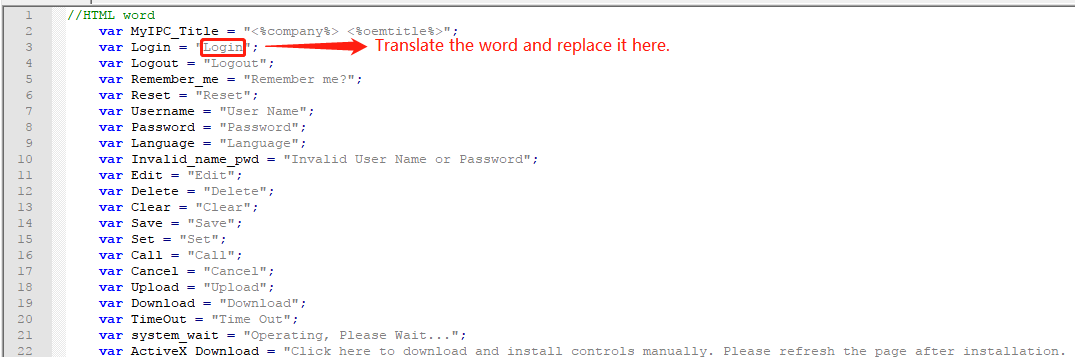
Figure 1
2.2 NVR Local GUI File Translation
Step1: Open the local GUI language file named <en_US.lng>. This file takes effect on Milesight NVR local monitor.
Step2: Translate the words or sentences behind = and replace them, like the pictures show below.
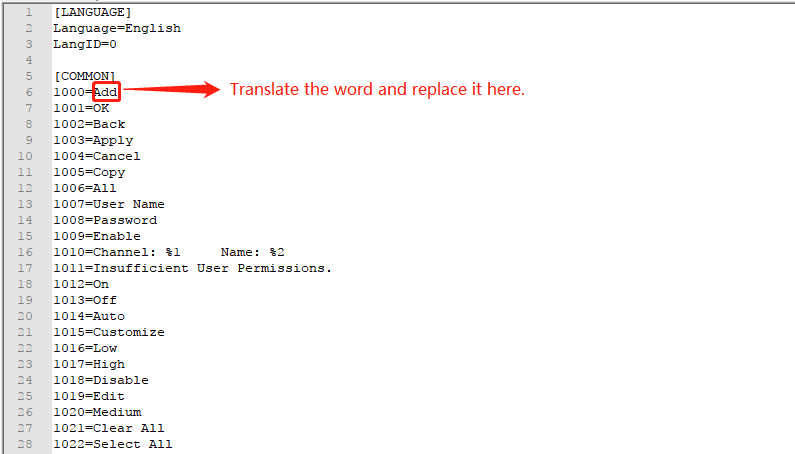
Figure 2
2.3 NVR Web GUI File Translation
Step1: Open the web GUI languge file named <en-US.json>. This file takes effect on Milesight NVR web.
Step2: Translate the words and sentence between “ ” behind : and replace them, like the pictures show below.
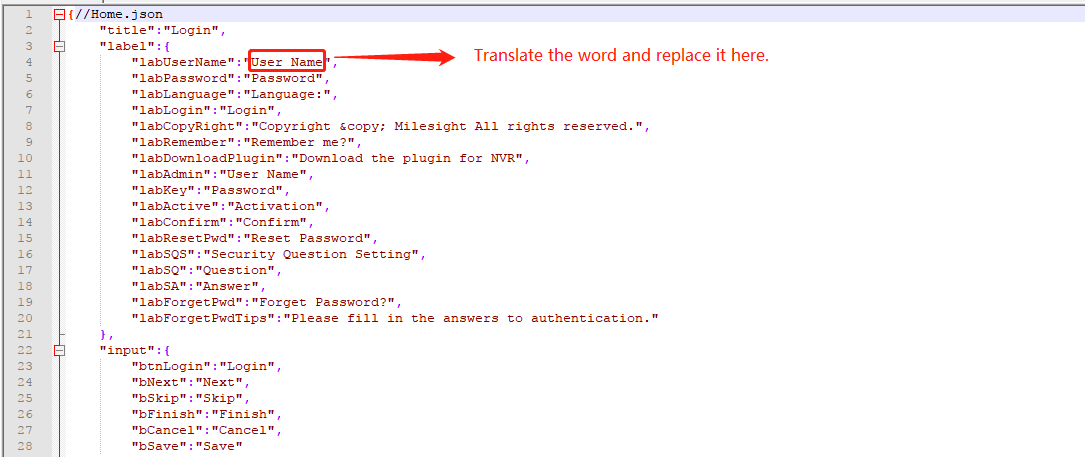
Figure 3
2.4 CMS GUI File Translation
Step1: Open the web GUI languge file named <en-US.json>. This file takes effect on Milesight CMS.
Step2: Translate the words or sentences behind = and replace them, like the pictures show below.
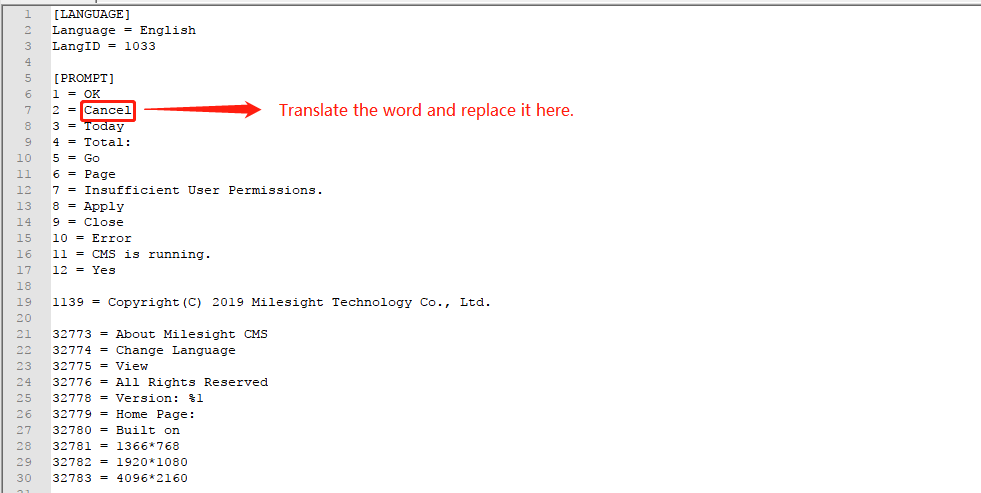
Figure 4
-END-