
NVR Models | MS-N7016/MS-N8016 | Update | 2015.07.17 |
1. MS-N7000 series Hard Disk Installation
Step1: Unscrew the back and both sides’ screws to open the upper lid.
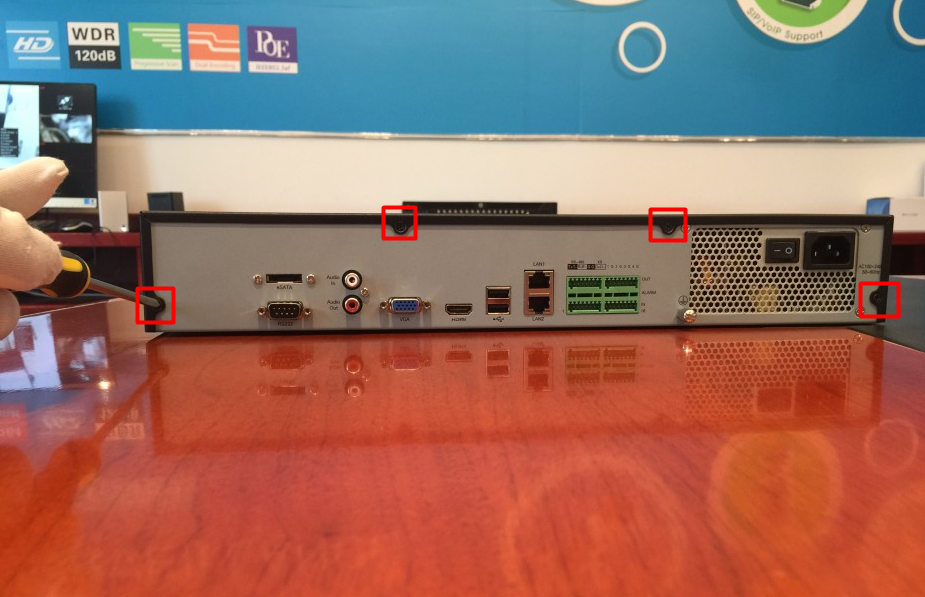
Figure 1-1
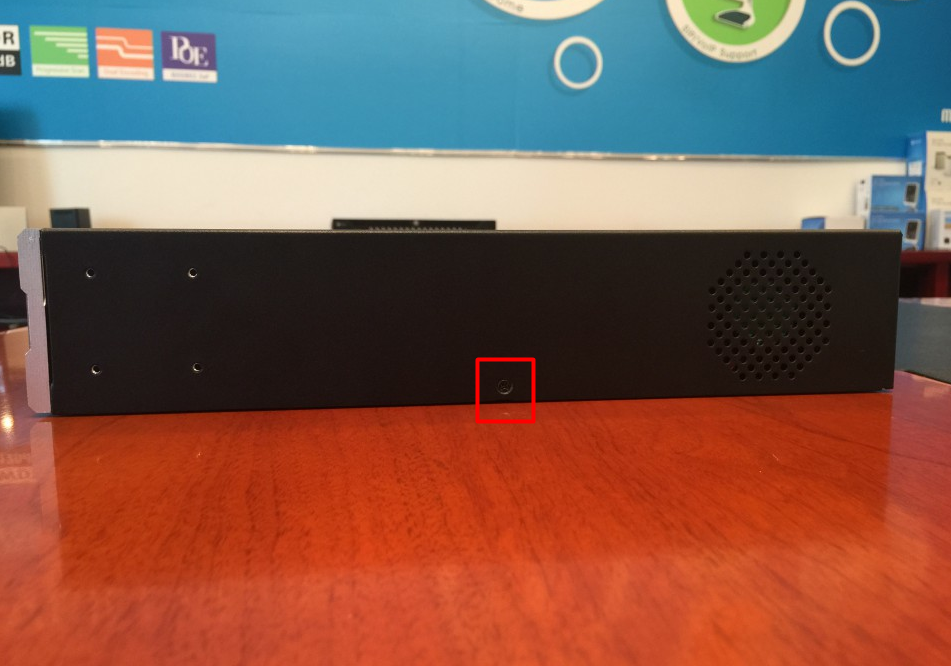
Figure 1-2
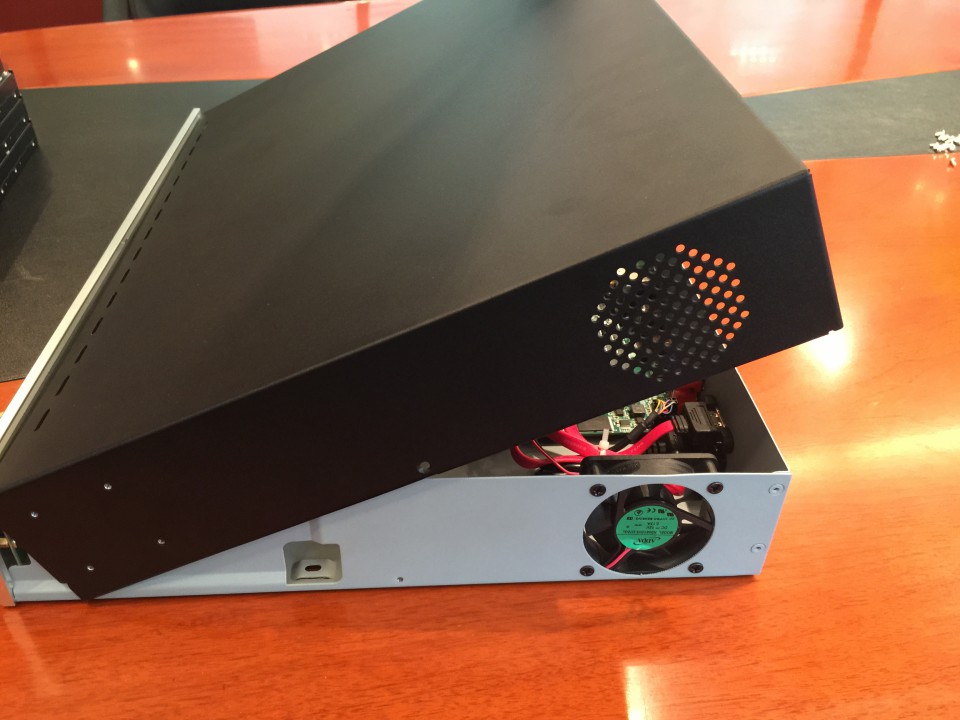
Figure 1-3
Step2: Install the hard disks into NVR with screws showed in below pictures.(SATA Slots of hard disk should be toward inside NVR.)
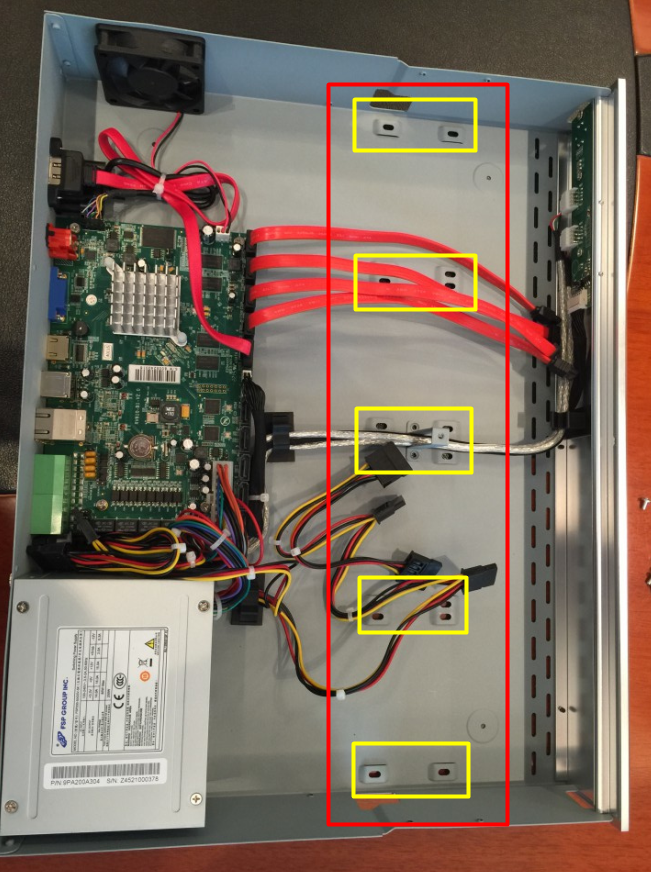
Figure 1-4
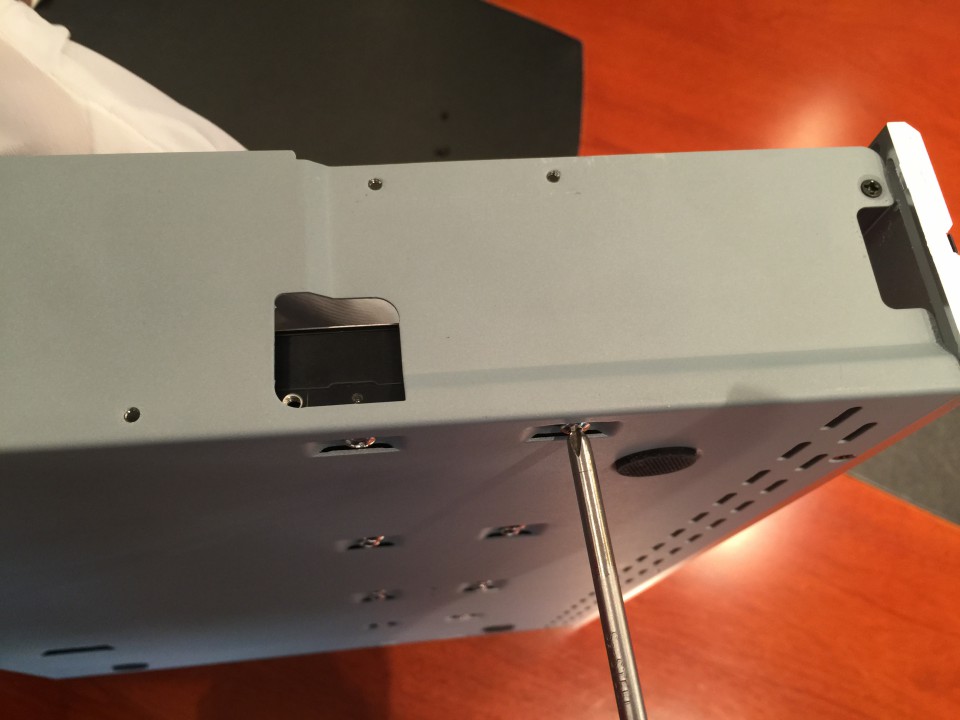
Figure 1-5
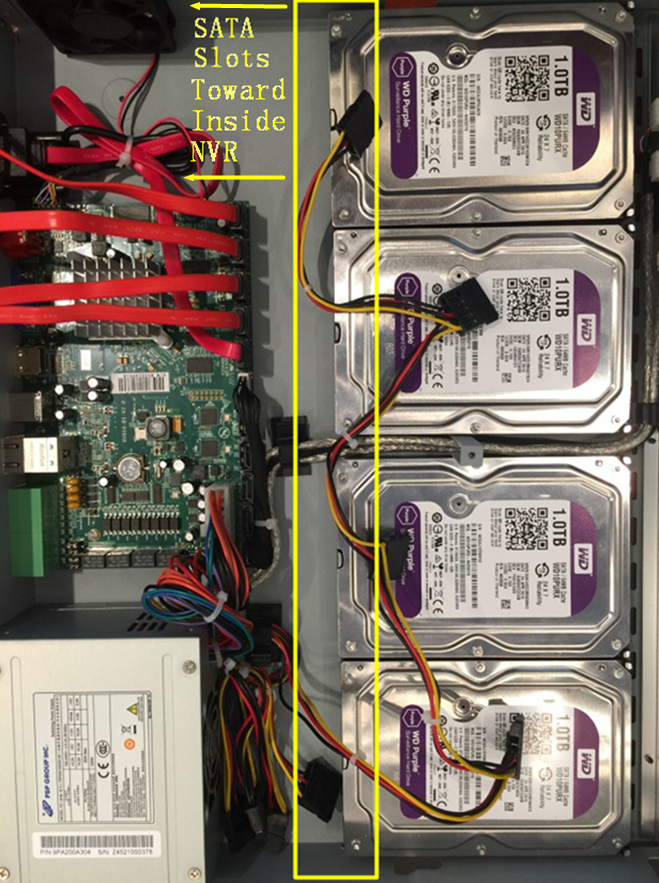
Figure 1-6
Step3: Join the power and data connectors to corresponding hard disk.
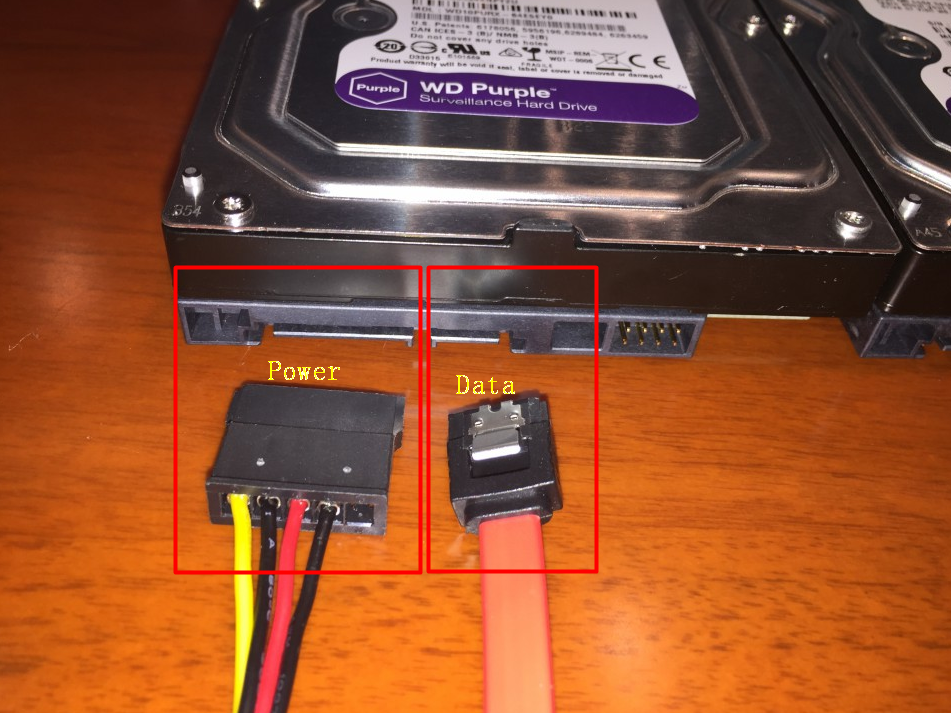
Figure 1-7
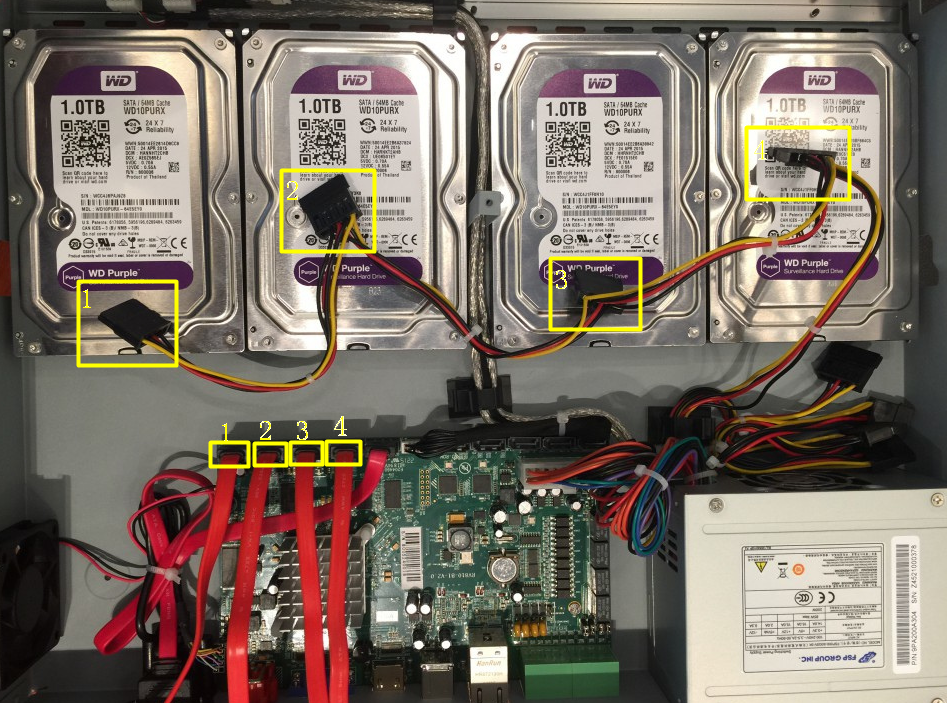
Figure 1-8
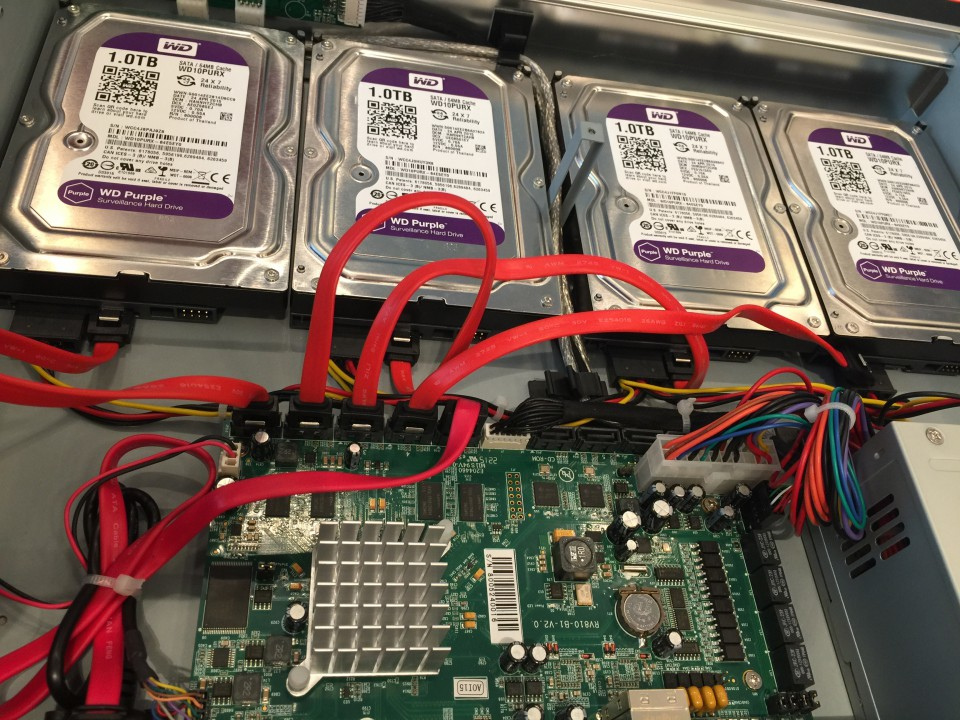
Figure 1-9
Note:
The data connector sequence of MS-N7000 series is different from MS-N8000 series’.
b. MS-N8000 series Hard Disk Installation
Step1: Unscrew the back and both sides’ screws to open the upper lid.
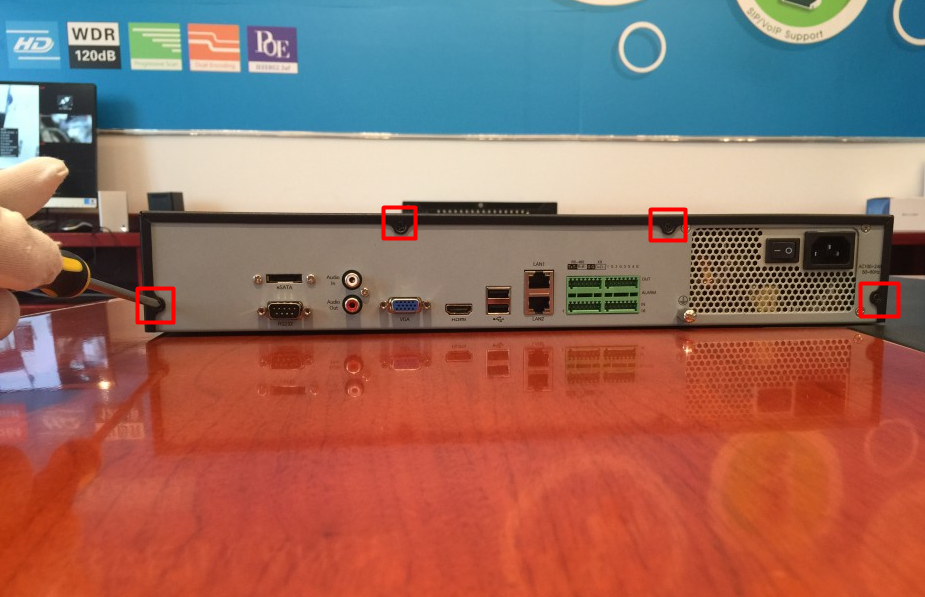
Figure 2-1
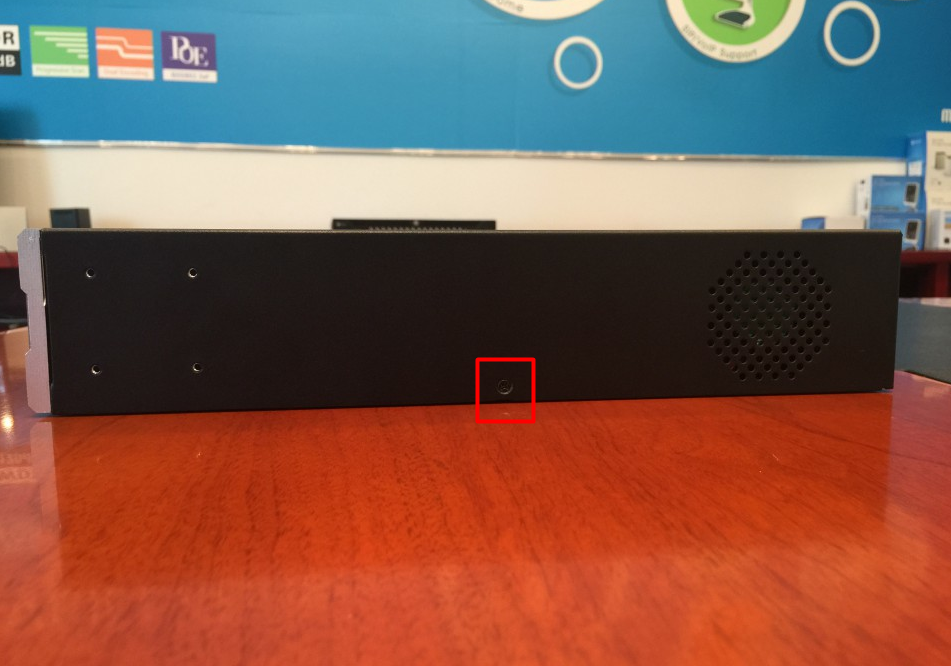
Figure 2-2
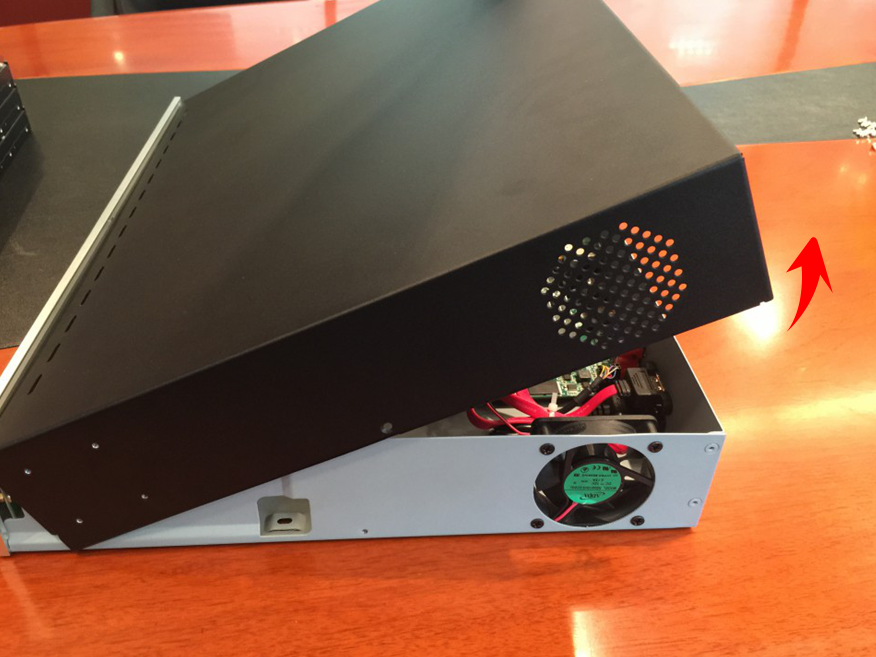
Figure 2-3
Step2: Uninstall the upper hard disk panel.
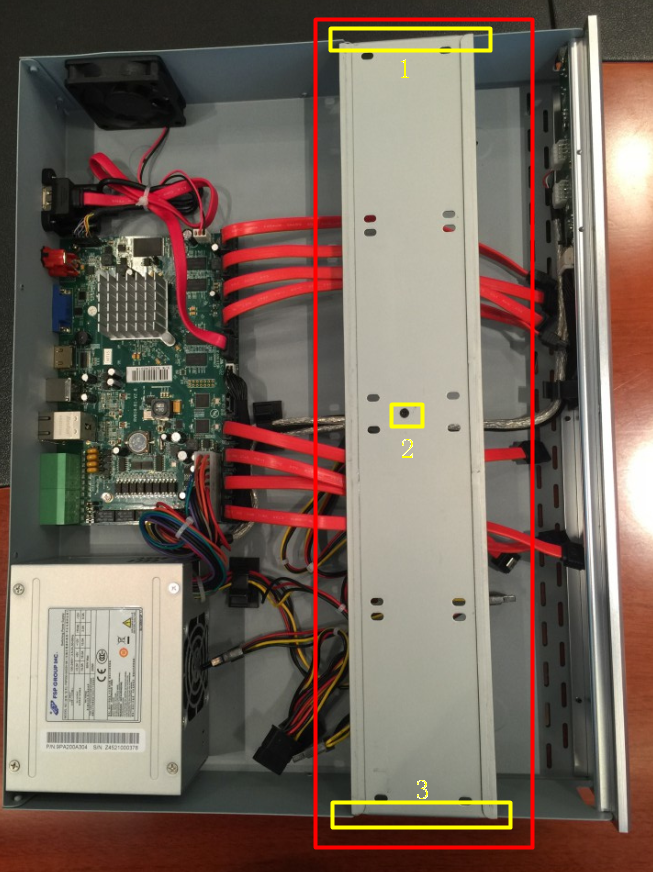
Figure 2-4
Step3: Install the hard disks into NVR with screws showed in below pictures.(SATA slots of hard disks should be toward inside NVR)
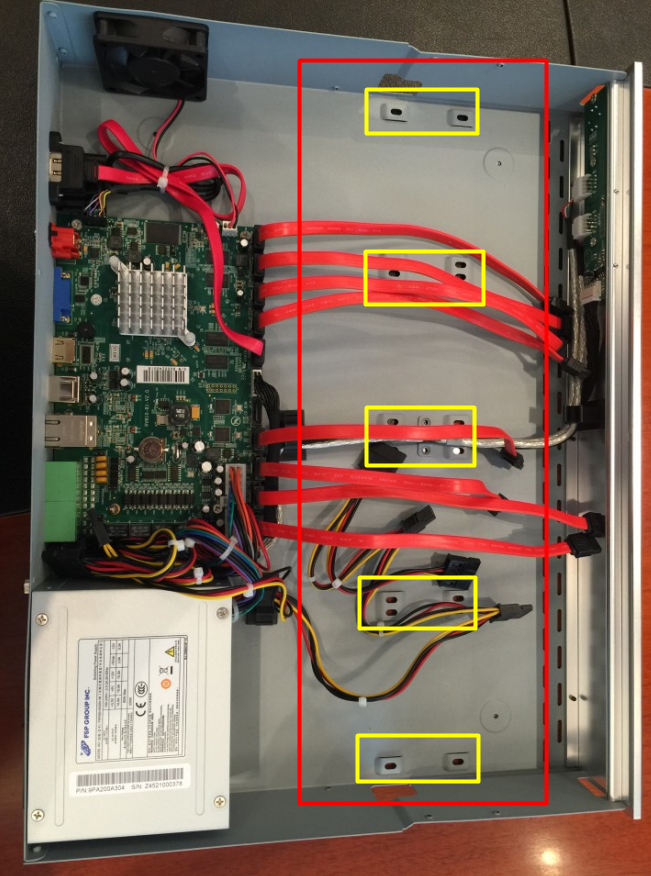
Figure 2-5
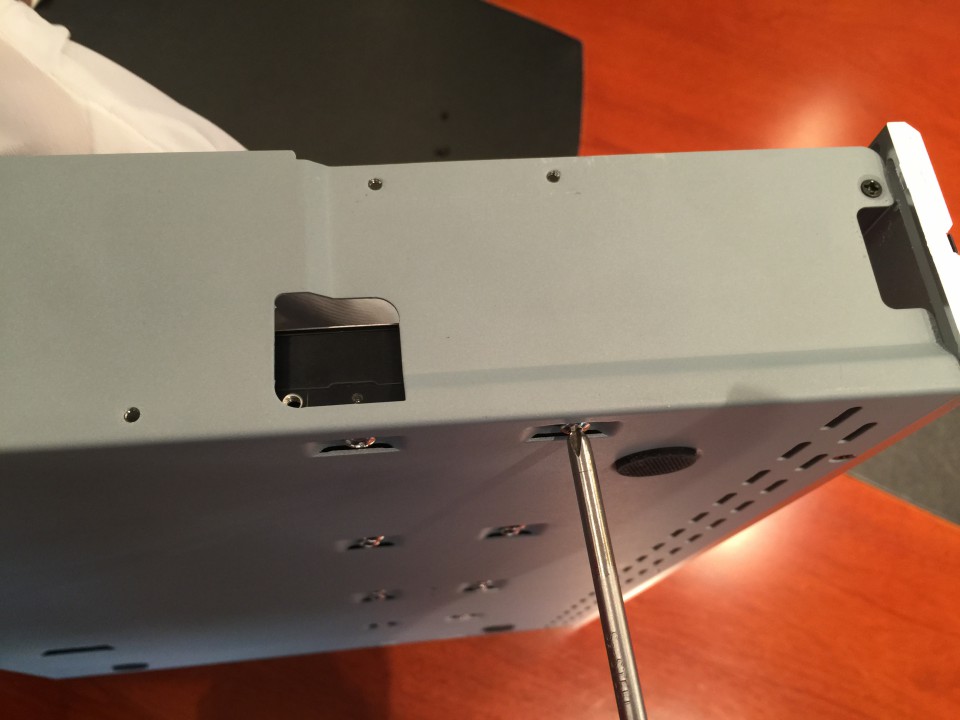
Figure 2-6
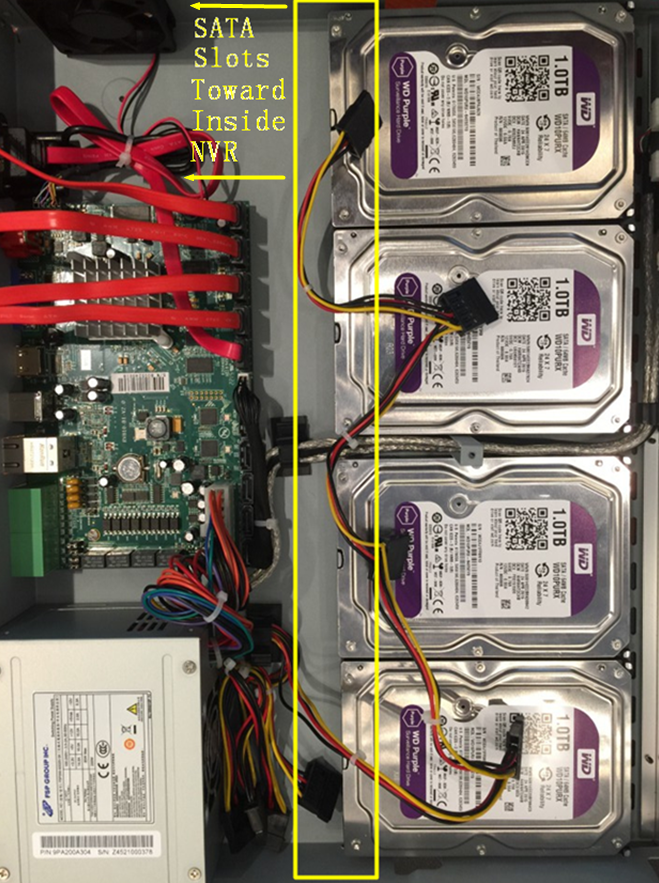
Figure 2-7
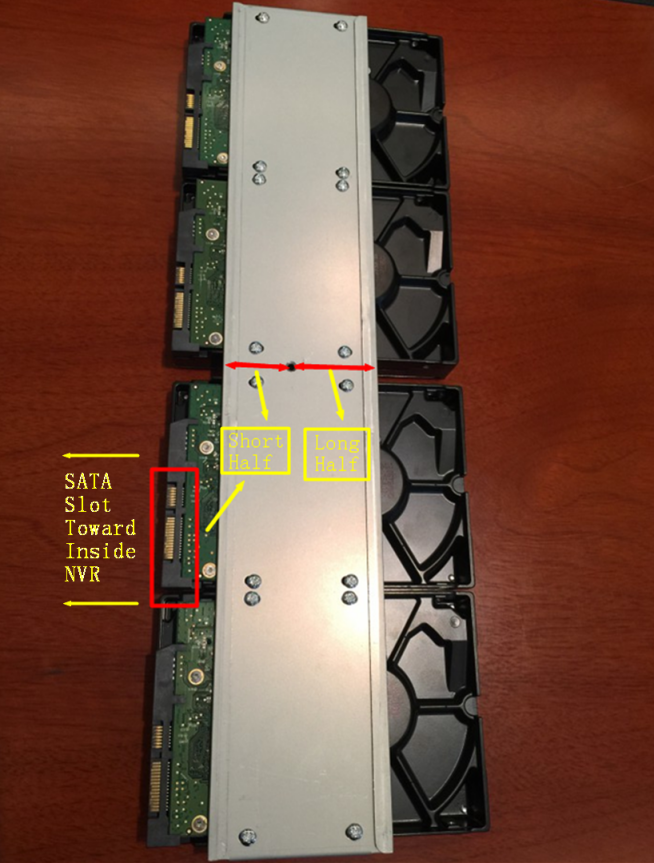
Figure 2-8
Note:
Make sure that the sata slots are in SHORT HALF side and the sata slot toward inside NVR.
Step4: Join the power connectors to corresponding hard disks.(Install lower hard disk panel before upper one)
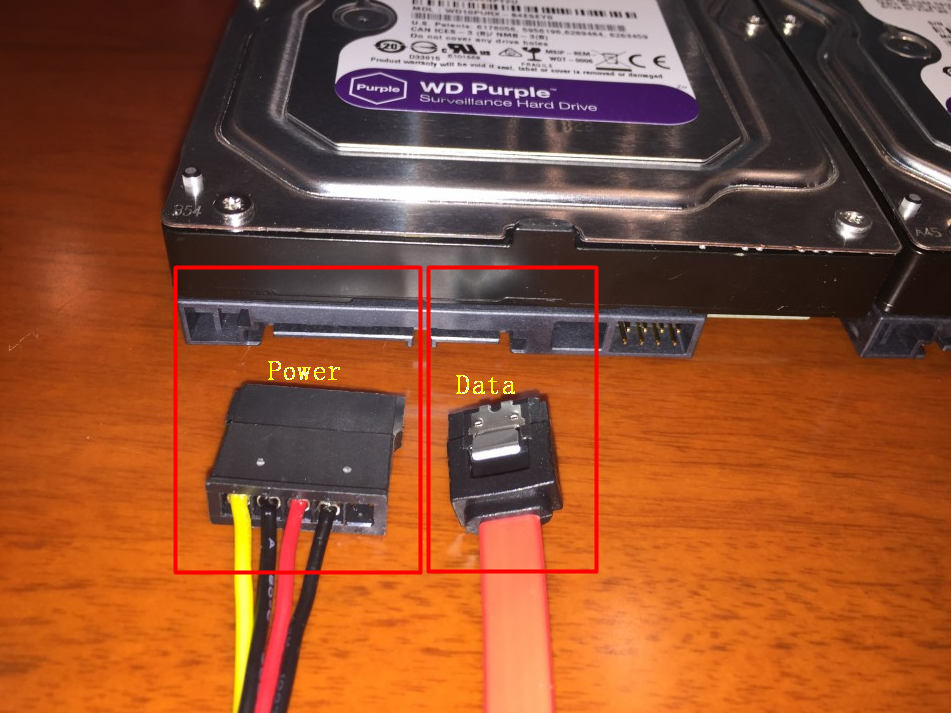
Figure 2-9
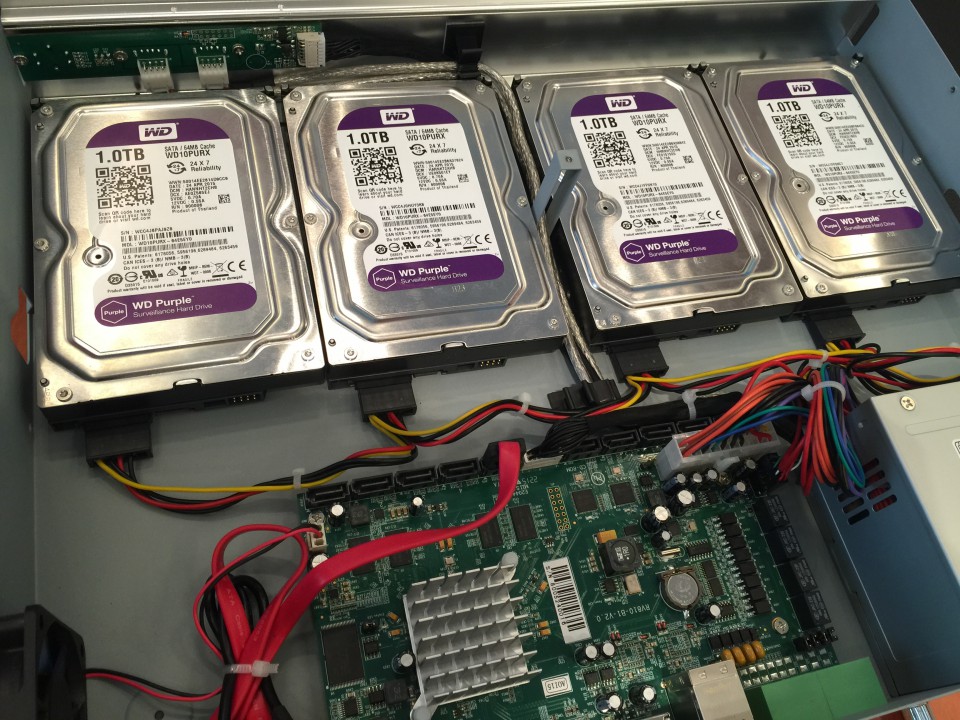
Figure 2-10
Step5: Join the data connectors to corresponding hard disk.(Check the connection by below sequence)
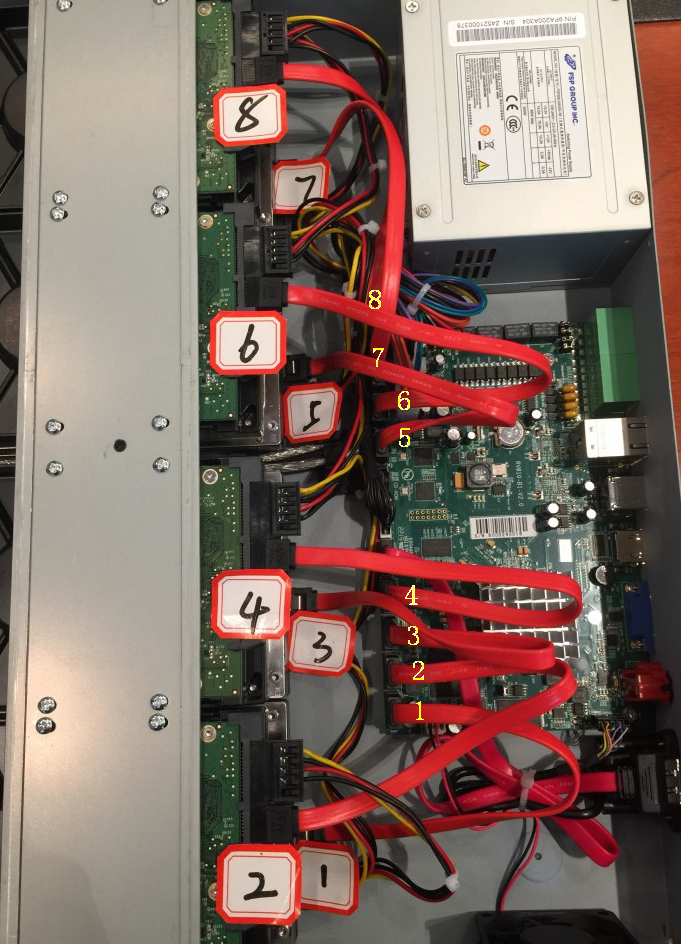
Figure 2-11
Note:
The data connector sequence of MS-N7000 series is different from MS-N8000 series’.
-END-
Title
subtitle