
Version | 1.0 | Update | 2024.8.14 |
Introduction
Since the transmission settings of LPR data have changed in the new firmware. We made this document explains how to get LPR data from MIlesight ANPR camera on Milesight NVR/CMS/VMS.
1. Camera Settings
1)If your camera’s firmware version is T_61.8.0.3-r9 or above;
1. Please go to “Settings -> Data Transmission -> Post” in the web page of camera.
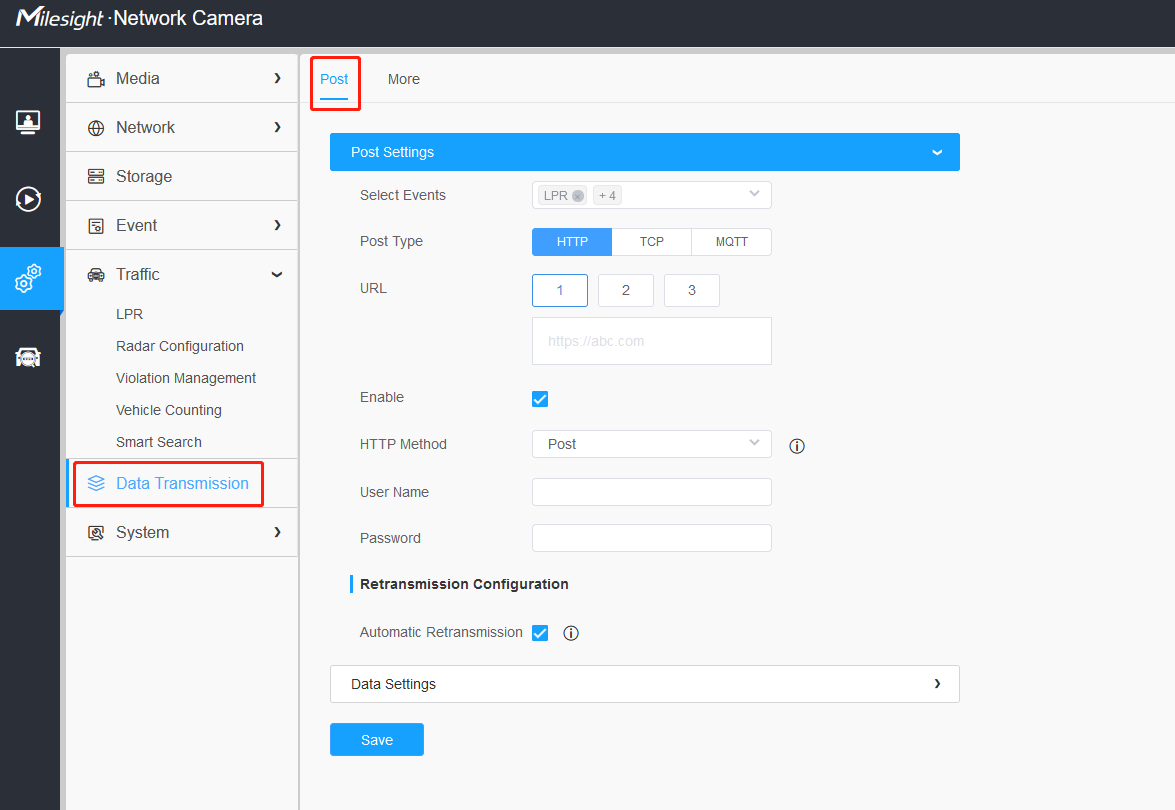
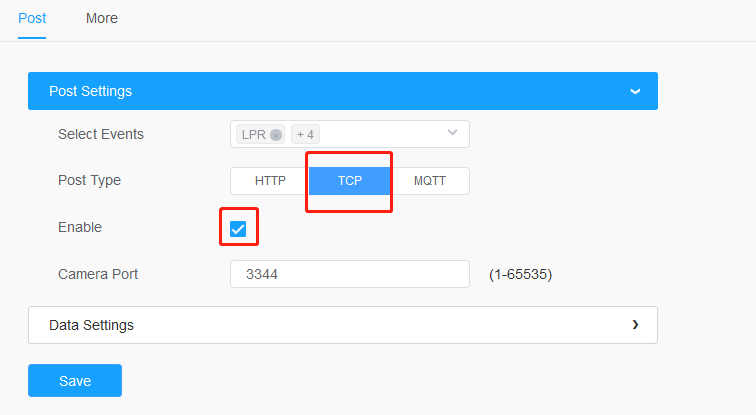
2. Select the TCP as the Post Type. Enable it.
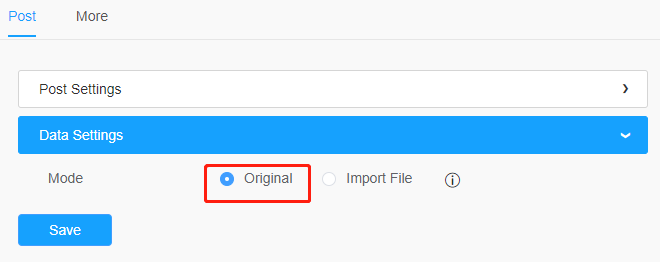
3. Enable Original mode in Data Settings.
2) If your camera’s firmware version is T_61.8.0.3-r8 or before, or others:
1. Please go to “Settings -> Traffic -> LPR -> General -> LPR Message Post Settings”.
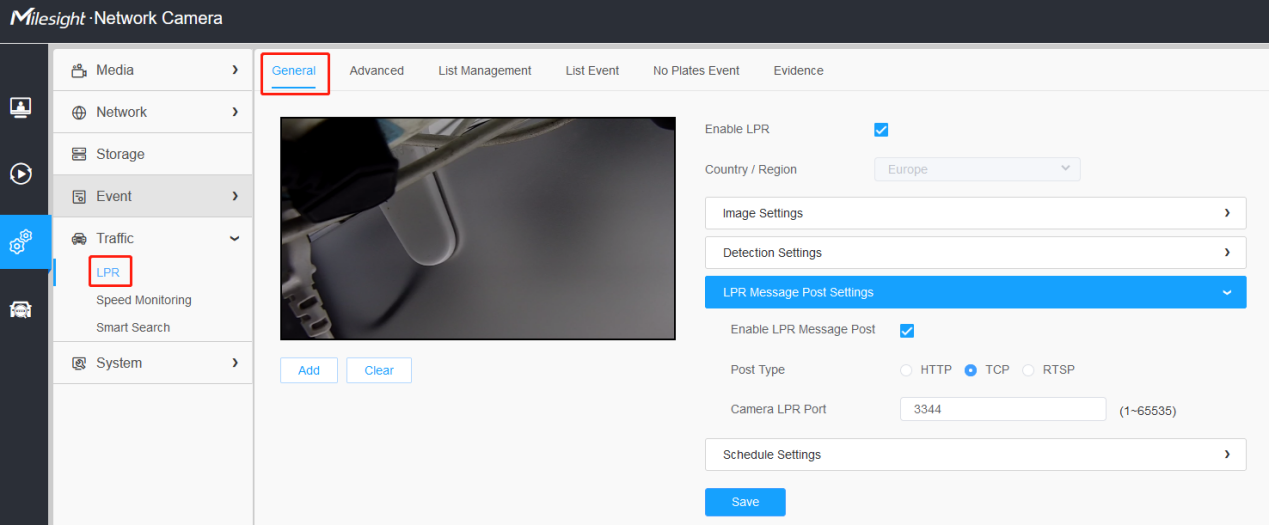
2. Enable LPR message post and select the TCP as the Post Type.
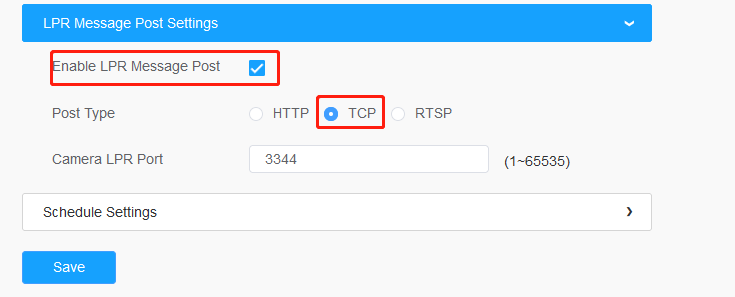
Note:
1. The default TCP port is 3344, but you can change it if needed.
2. If you are adding the camera to the NVR/CMS/VMS through port forwarding or a public address, remember to map the TCP port as well.
2. NVR Settings
1. Go to “ Smart Analysis -> Analysis Search -> ANPR ”, select a channel and click the Search.
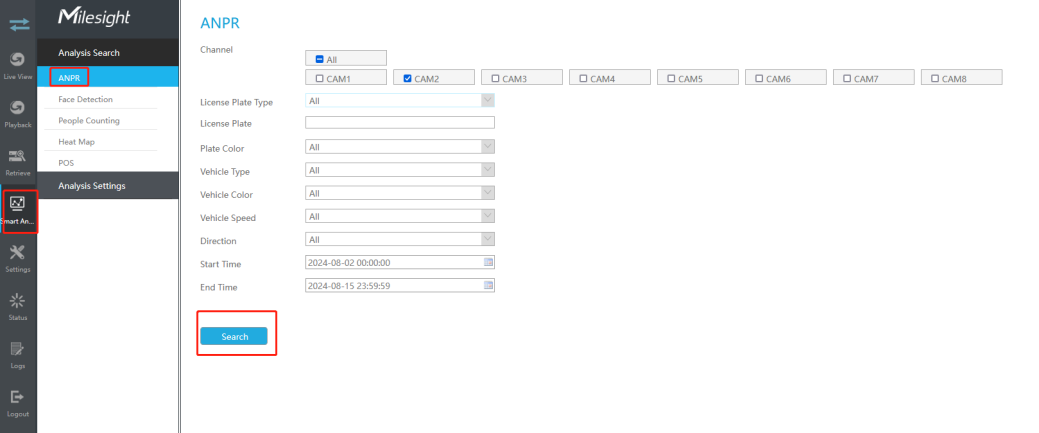
Web interface
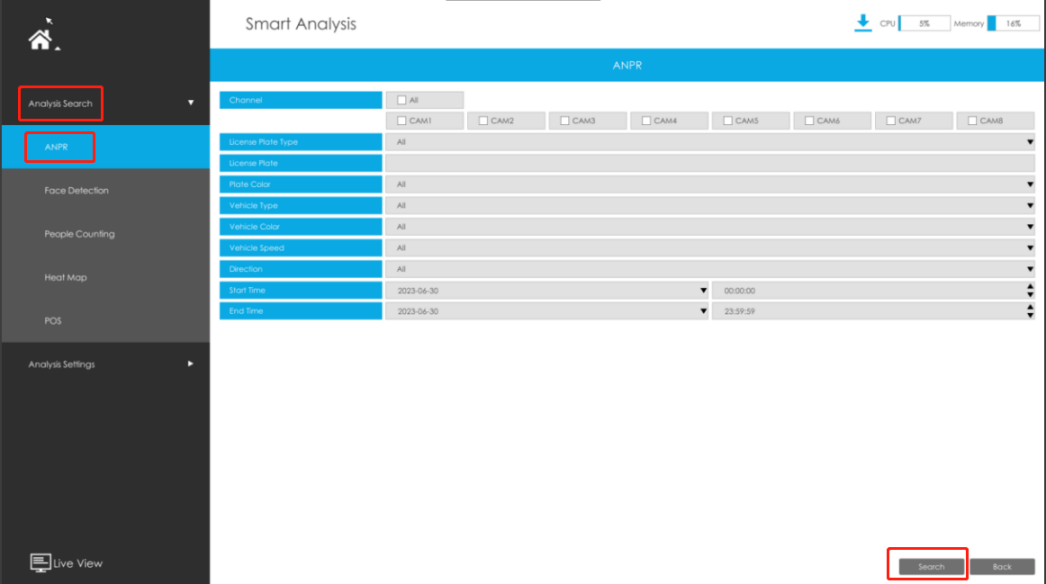
Local interface
2. You will find all the LPR data available there.
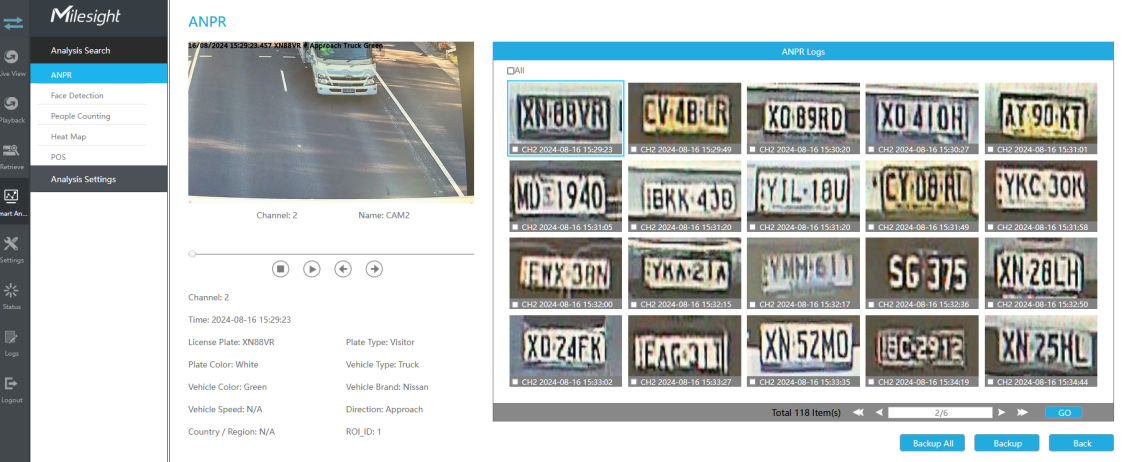
Web interface
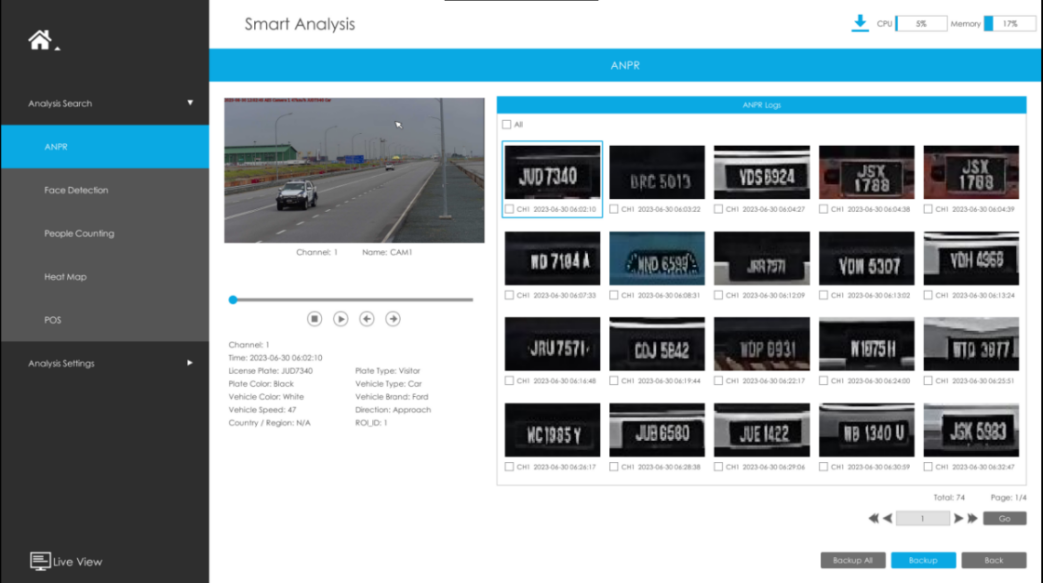
Local interface 1
You can also find the LPR date on Live View in local interface if you select ANPR Mode on Live View bottom tool bar:
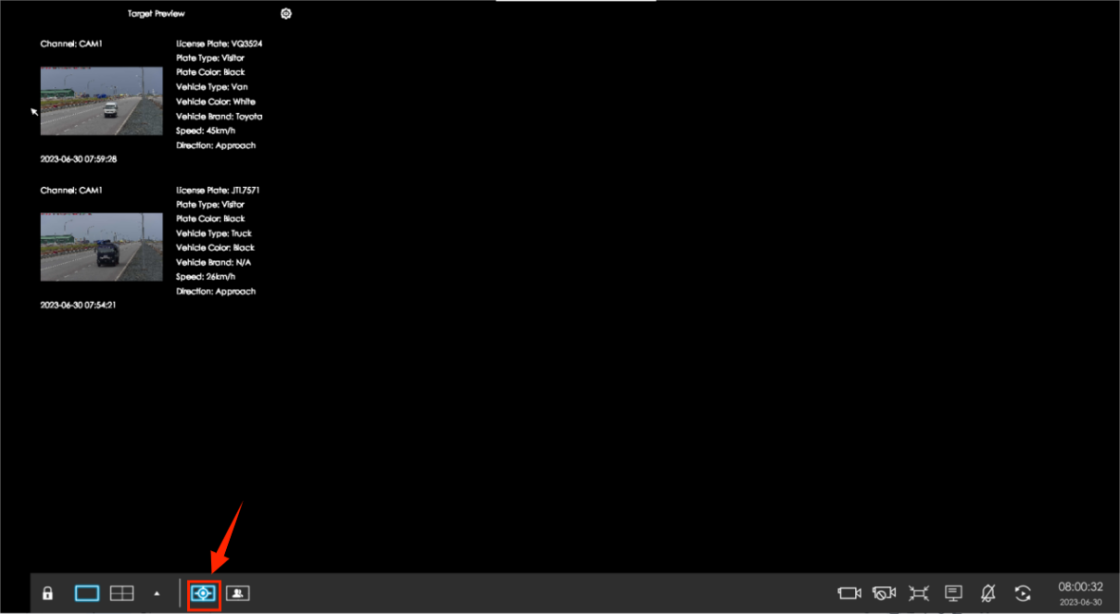
Local interface 2
Note:
1. Please plug a compatible HDD or add a NAS to the NVR for license plate data storage.
2. Upgrade your device firmware version to the latest for better performance.
3. Ensure that the NVR and the camera are time-synchronized.
3. CMS Settings
1. Go to “Smart Analysis -> ANPR ” , select a camera then click “search”.

2. You will find all the LPR data available there.
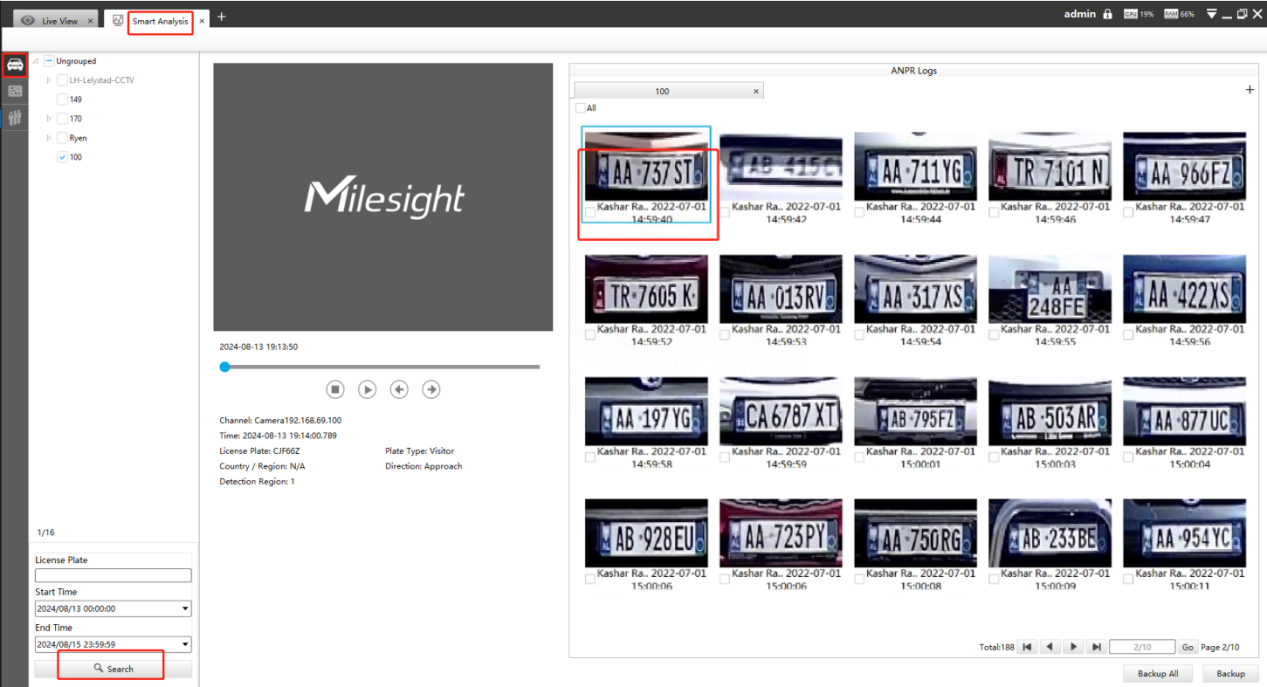
Note:
1. Upgrade your CMS firmware version to the latest for better performance.
2. Ensure that your PC and the camera are time-synchronized.
4. VMS Settings
Go to “ Smart Analysis -> ANPR -> ANPR Result Search ” , select the camera you want then click “search”.
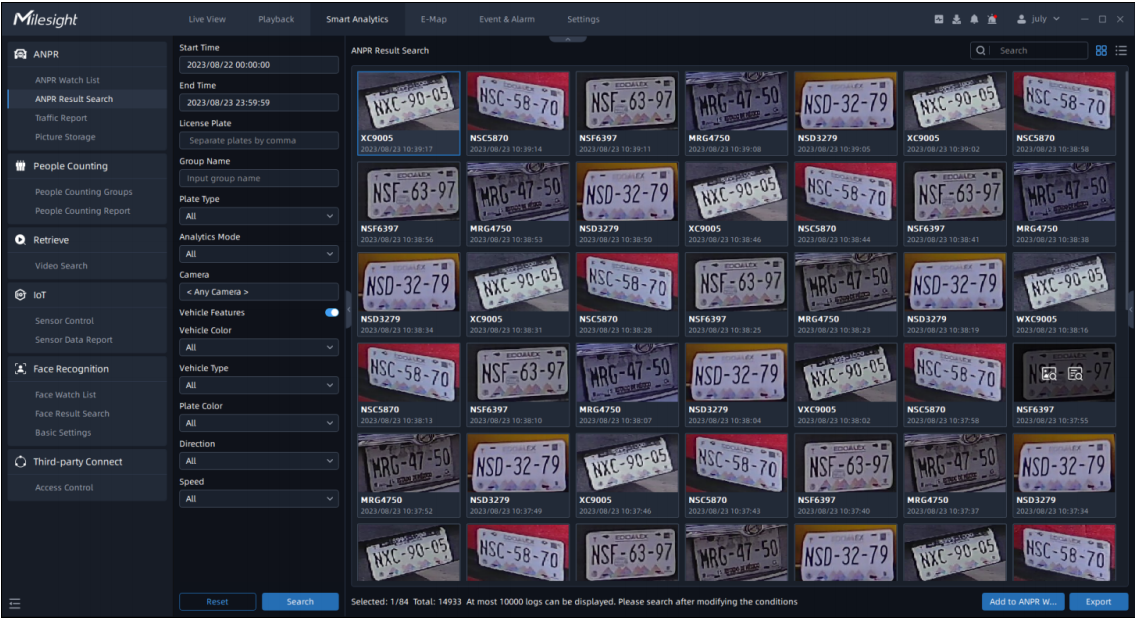
You will find all the LPR data available there.
Note:
1. Upgrade your VMS Enterprise to the latest version for better performance.
2. Only the Milesight ANPR cameras added by MSSP protocol support ANPR function .
3. Ensure that the VMS and the camera are time-synchronized.
If you still can not get LPR data from Milesight ANPR cameras using the latest firmware on Milesight NVR/CMS/VMS, please contact Milesight Support Team:
support@milesight.com
--------- END --------