
Version | 1.0 | Update | 2025.2.27 |
1. Introduction
This article mainly introduces alternating frame technology applied in Milesight TrafficX series along with the web page configuration method and effect display.
2. How does Milesight Frame Parity Flashing work
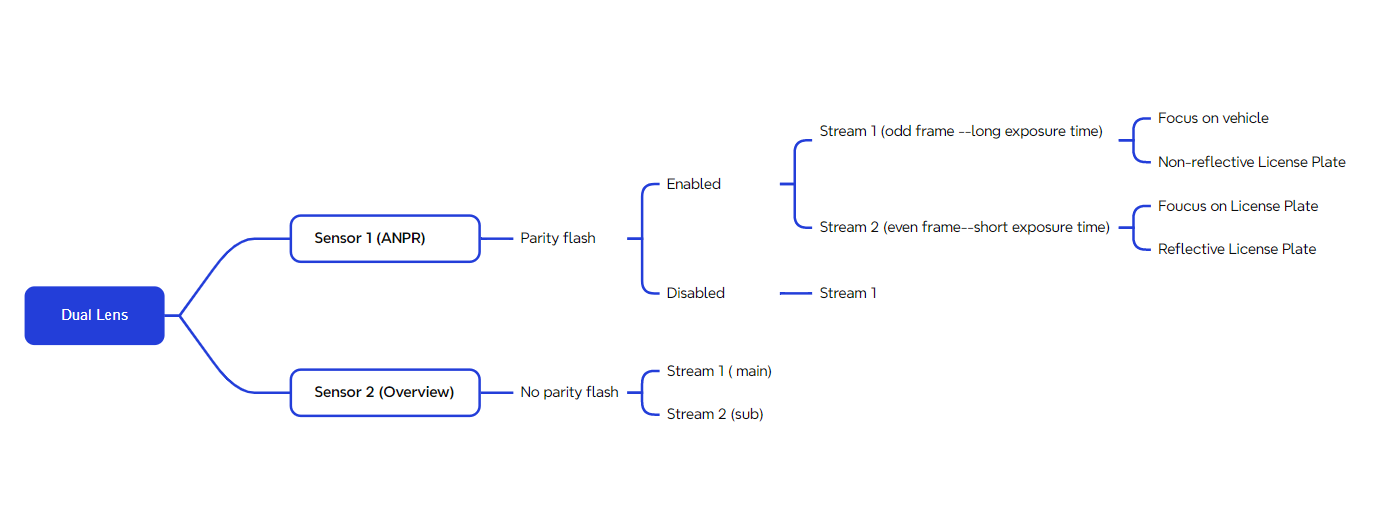
LPR sensor splits two video streams and can configure different exposure intensity strategies for odd and even frames, as well as algorithm optimization strategies to achieve the following results:
1. Satisfy the capture and recognition of different reflective license plates, and better adapt to different reflective license plate materials in different countries;
2. Simultaneously ensuring that the license plate and vehicle body is clearly visible, and taking the optimal license plate and body recognition results.
Frame suppression captures clear license plates with light exposure, while another frame captures clear vehicle body images. Two frames are alternately processed and spliced to ensure the dual integrity of the license plate and vehicle body.
For easy understanding of Milesight Frame Parity Flashing, you can see the example diagram below:
3. How to set Frame Parity Flashing in Milesight TrafficX Series
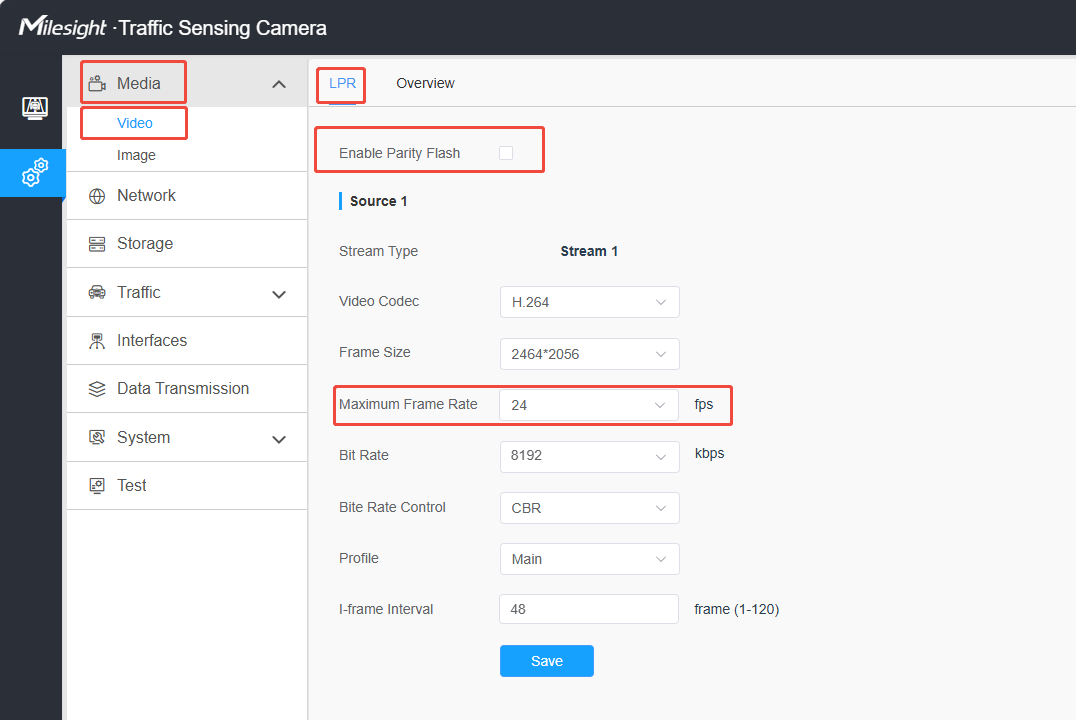
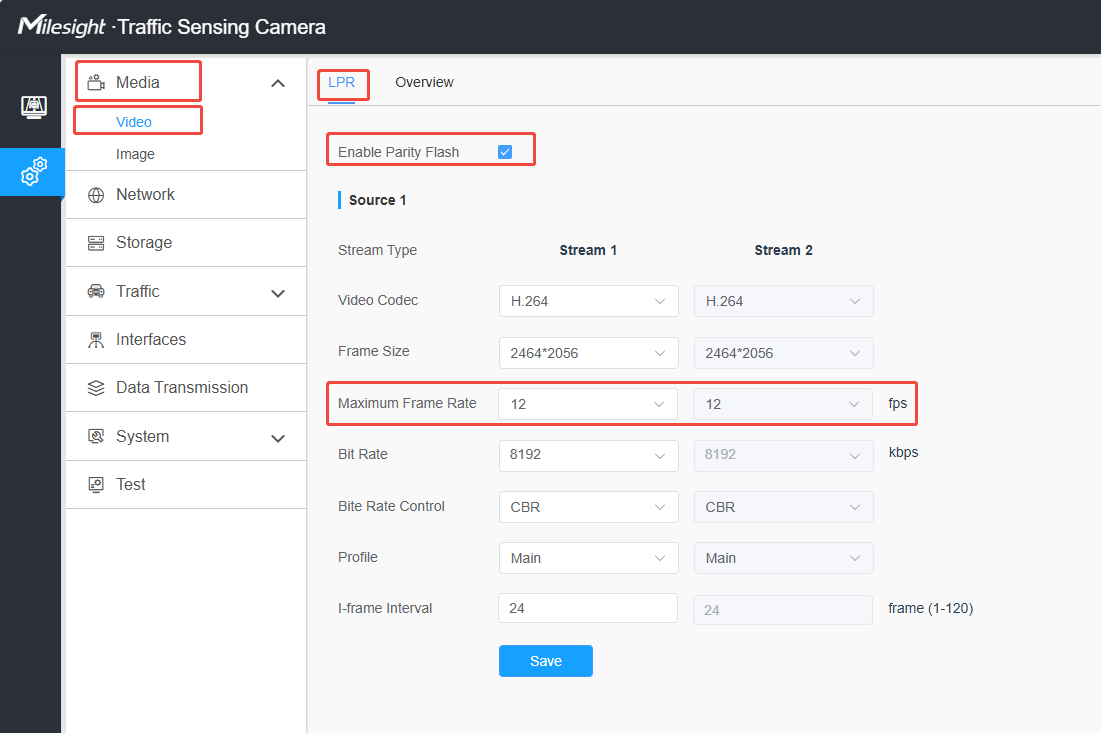
Step 1: Enter the configure page to enable Parity Flash
Media> Video> LPR> Enable Parity Flash
Notes:
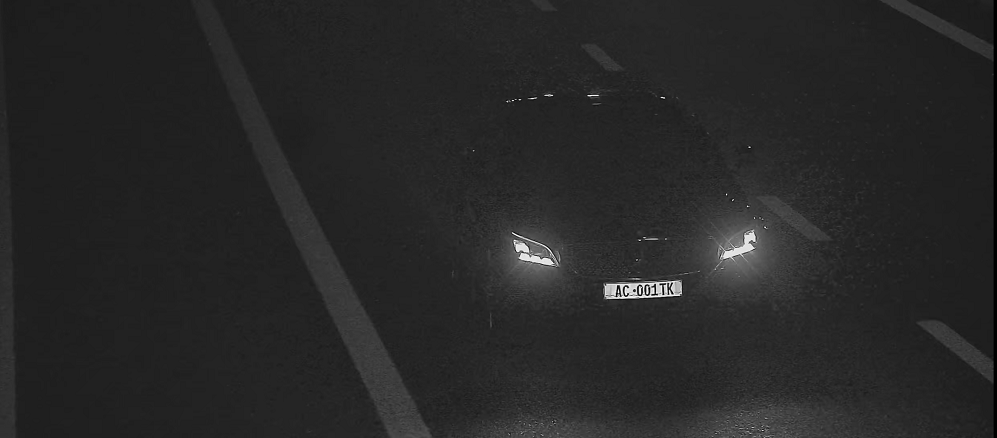
After enabling Parity Flash, two streams will be provided. One is for overview purposes, while the other is for automatic license plate recognition. Stream1 consists of long exposure frames, which better captures the vehicle and its surroundings. On the other hand, Stream2 consists of short exposure frames, specifically designed to focus on capturing clear images of license plates.
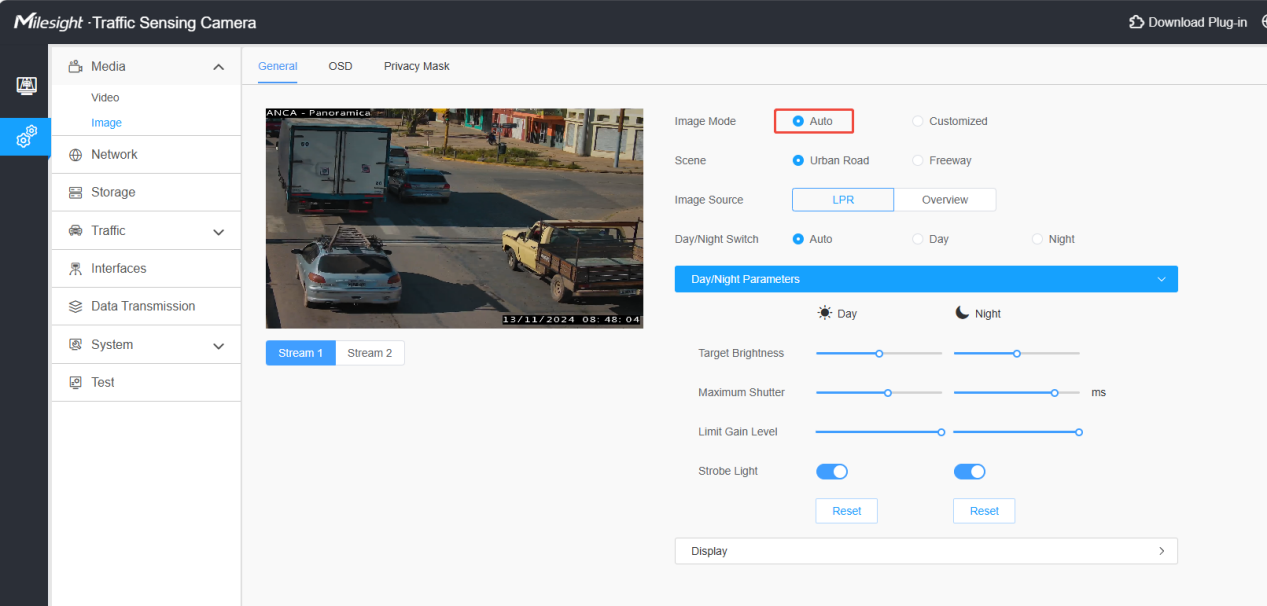
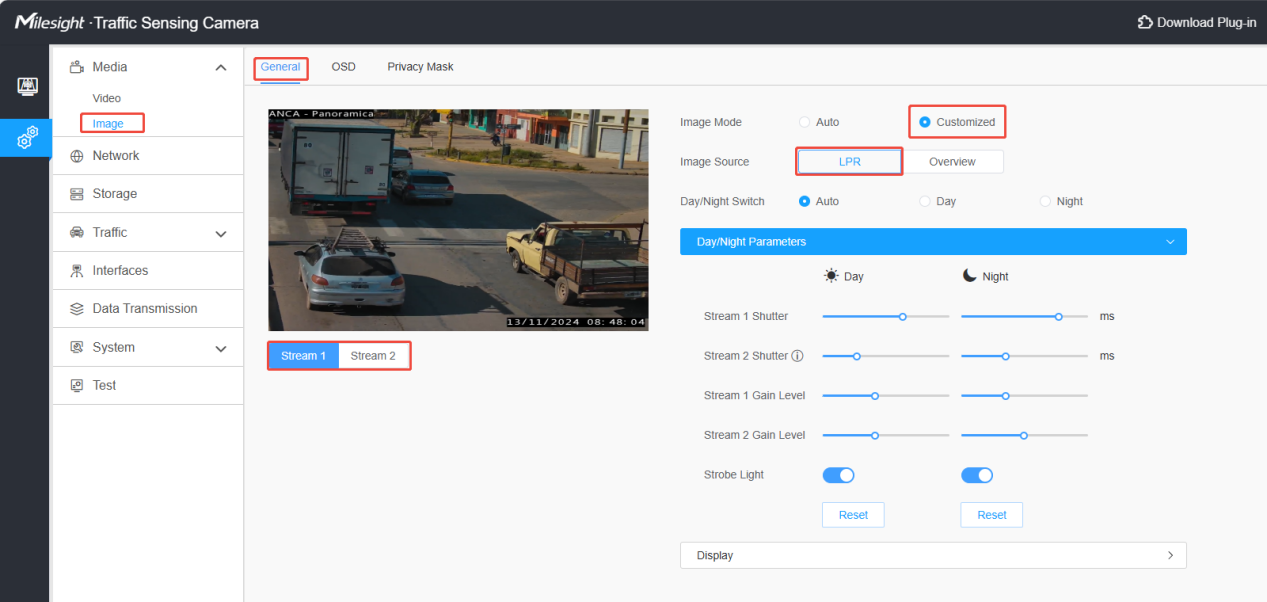
Step 2: Enter the image configuration web page to set Stream1 and Stream2
Media> Image> General
Auto Mode:
Auto Mode is suitable for scenes where the surrounding lighting conditions may vary, such as outdoor road scenes. The algorithm provides adaptive adjustments to the exposure time, while also allowing for manual adjustments if desired.
Customized Mode:
Customized Mode is suitable for scenes with relatively stable lighting conditions, such as tunnels. In this mode, you can fine-tune the exposure time and gain level of the two video streams based on the actual scene, to meet specific requirements.
4. Milesight TrafficX Frame Parity Flashing Results Display
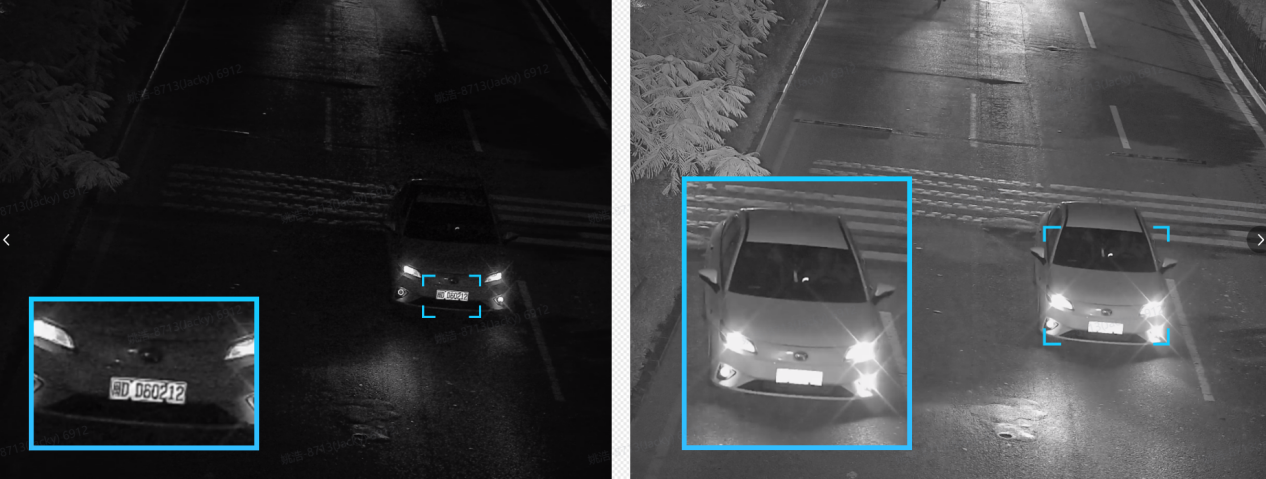
Capture clear and detailed vehicle/license plate details with precision:
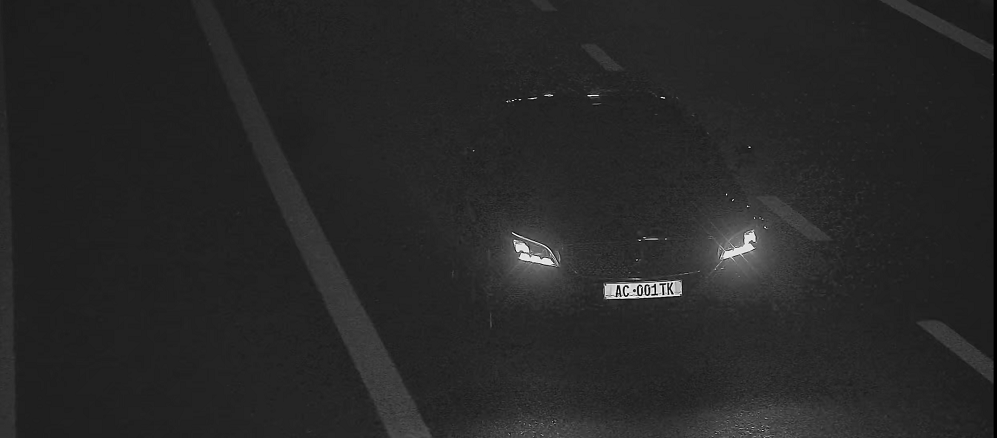
Without Frame Parity Flashing:
Only the license plate is clear, but the body of the car cannot be seen clearly.
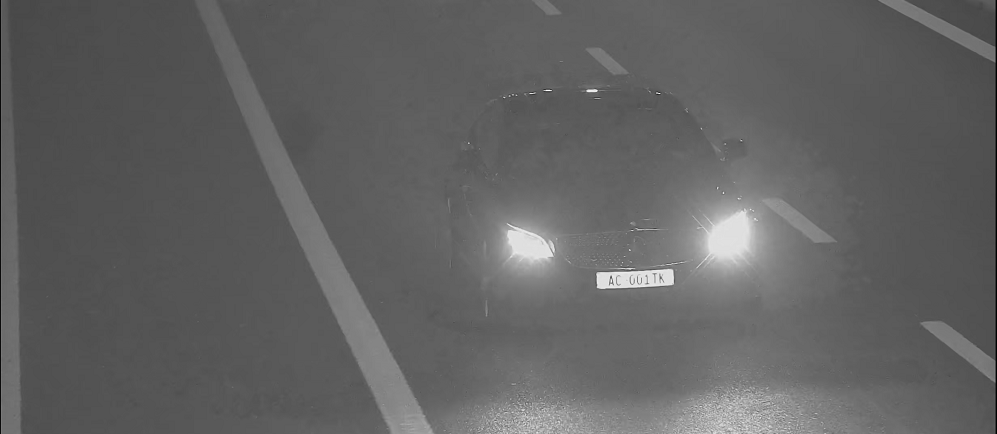
With Frame Parity Flashing:
Stream1 with higher gain level and longer shutter time:
Stream2 with lower gain level and shorter shutter time:
Note:
If Frame Parity Flashing is enabled, you can view videos with different gains by transforming Stream1 and Stream2.
For LPR detection, if Frame Parity Flashing is enabled, the algorithm will determine the best presentation effect to display the license plate and global image of the vehicle.
If you have any questions about triggering and connecting the LPR camera interface, please contact support@milesight.com.
----END-----