
- 1. What is MSWP?
MSWP, or Milesight Wireless Protocol, is a newly encapsulated proprietary protocol developed by Milesight. MSWP is designed for use with Milesight VMS Enterprise (including the VMS software embedded within Enterprise NVR, hereinafter referred to as VMS) to connect cameras.
- 2. How to Connect 4G Solar-Powered Cameras to VMS?
Step 1:
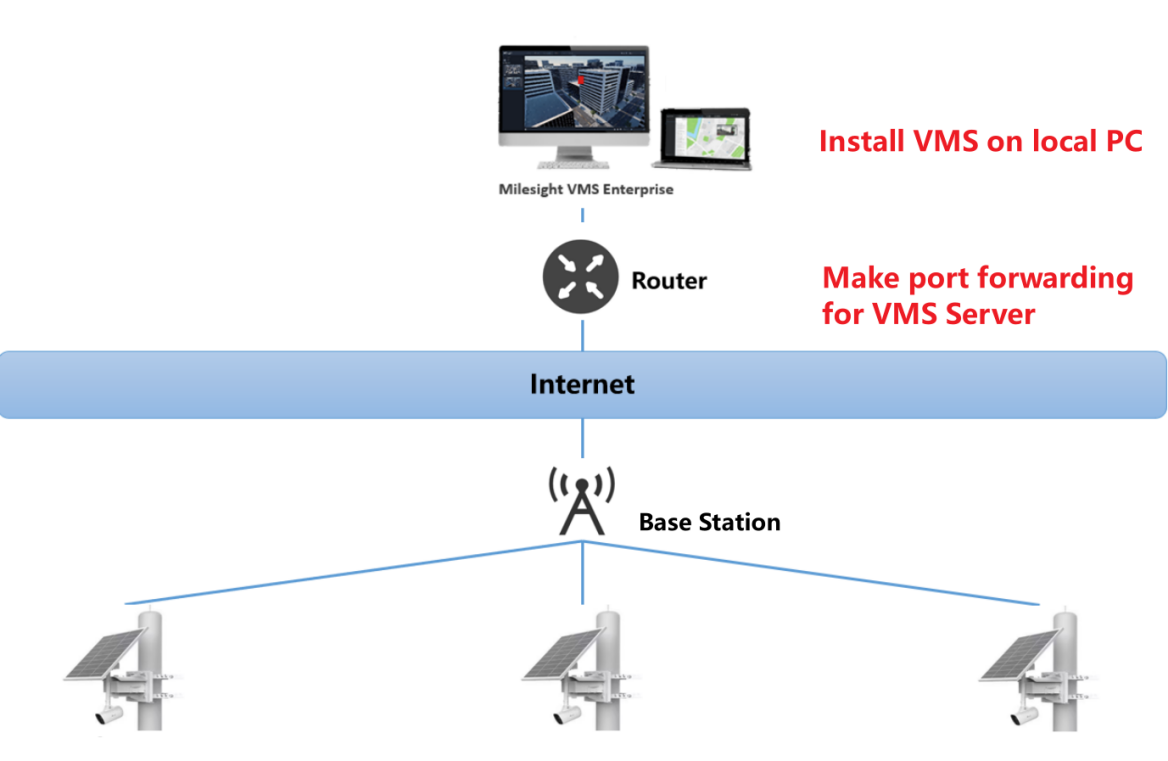
Install VMS on the local PC, then make port forwarding for the VMS server.
Note!:
① To ensure that the VMS is accessible via the Internet, it must be configured with a fixed public IP address or domain name, and the access for 4G solar-powered cameras needs to be mapped to port 8092 of the VMS.
② The VMS version must be V1.11.0.1 or above. If needed, you can seek assistance from the Milesight Support Team.
Step 2:
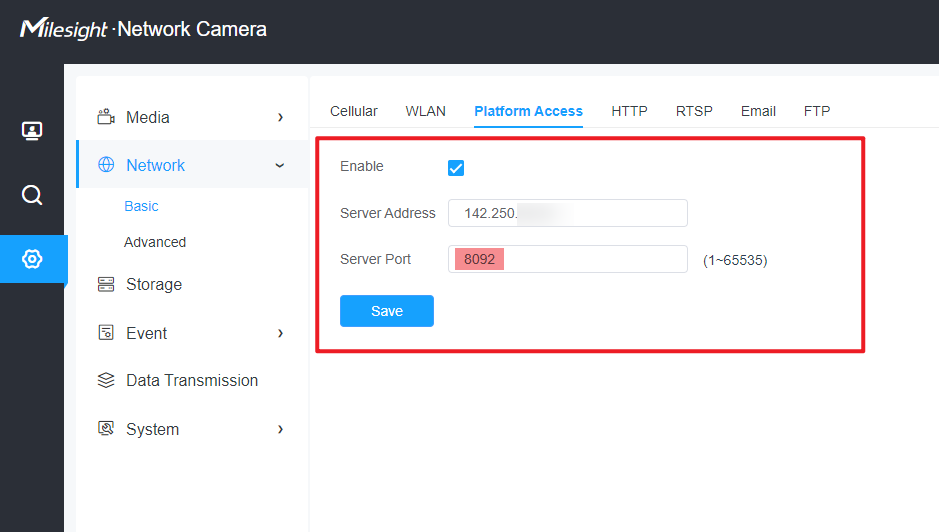
Install the camera, enable the WiFi connection, and log in to the camera. After completing the activation and setting the password, go to the camera's web page, navigate to Network -> Basic -> Platform Access, and enter the external IP and port of the VMS. The camera will then automatically connect to the VMS.
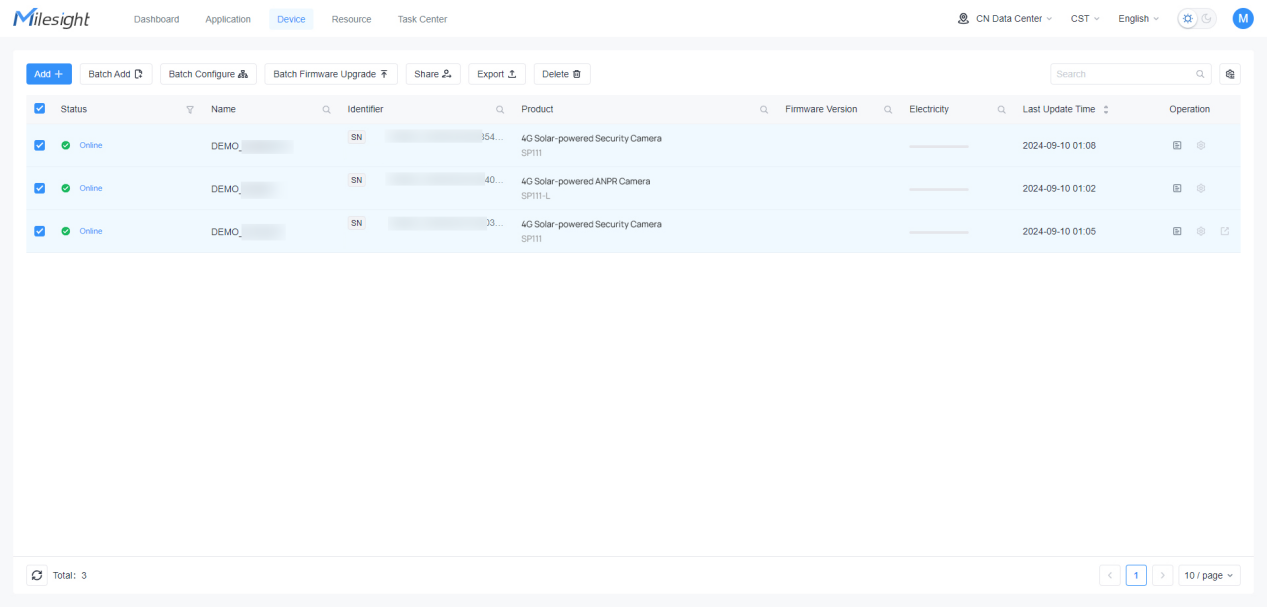
Note!: If you want to configure cameras in bulk, you can use AutoP on the cloud platform (https://account.milesight.com/).
Step 3:
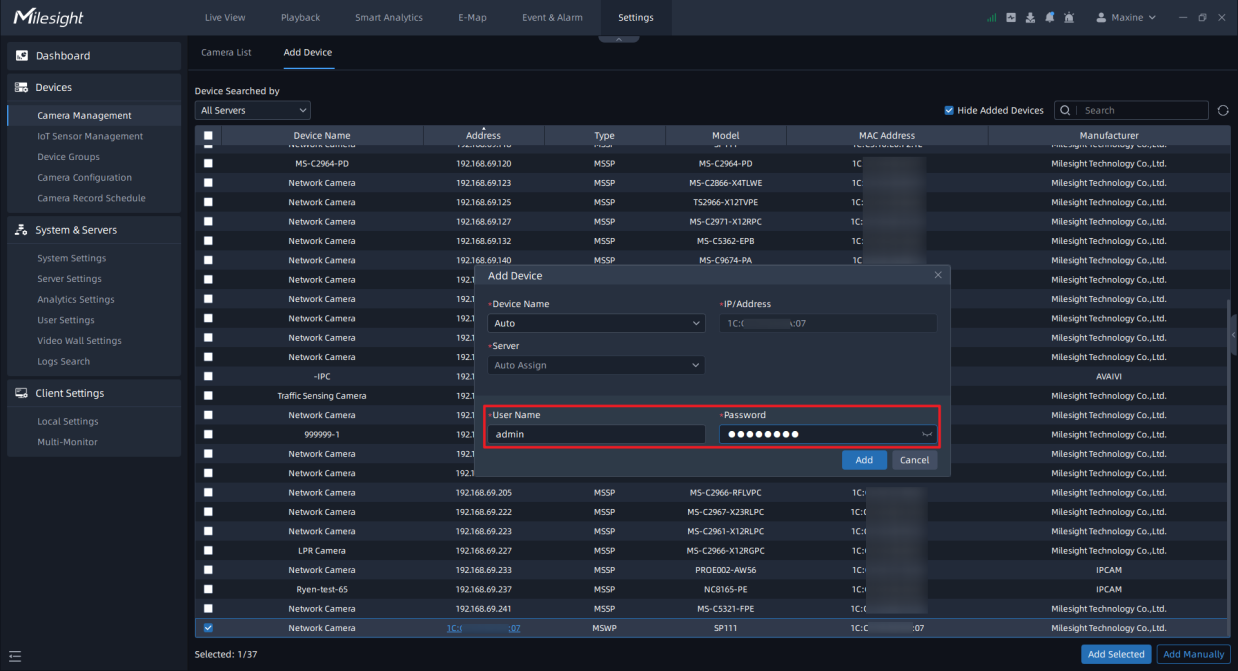
Log in to the VMS, go to Setting -> Camera Management -> Add Device. The SP111 will appear as connected to the VMS via MSWP in the device addition interface.
Select the device, then click Add Selected. Enter the password to add the device.
Step 4:
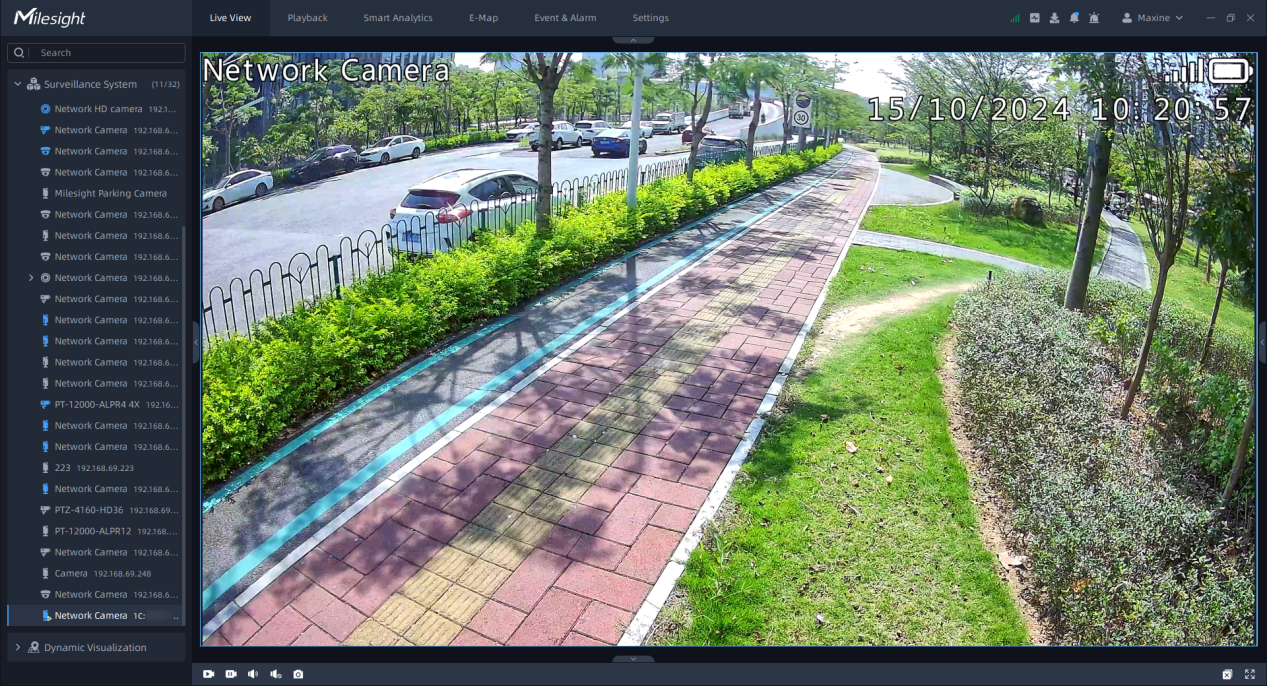
After the SP111 connects to VMS, users can view live footage, play back recordings from the SD card, receive alarms, modify camera configurations, and more.
—END—