
1. Product Overview
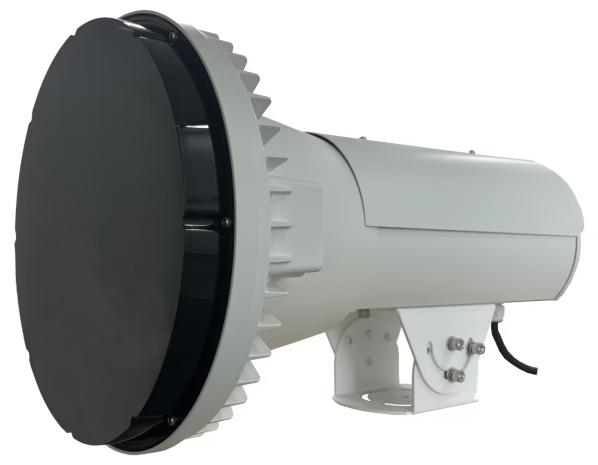
The IR Flash Supplement Light is a dedicated accessory for the TrafficX Series cameras.
It provides infrared illumination for in-vehicle violation detection, using infrared gas-discharge tubes to deliver stable and consistent lighting under varying environmental conditions.
Typical application:
- In-vehicle violation capture (driver seat, passenger seat)
Working principle:
- Triggered by the camera during image capture
- Emits short-duration IR flash to illuminate vehicle interior
Key technical specifications:
| MS-FL01/IR/F | |
Supplement Light | Light Type | IR Flash Light |
IR Wavelength | ≥700nm | |
Effective Distance | 16–26 m | |
Recycle Time | ≤60 ms | |
Flash Energy | 150 J | |
Service Life | 10 million Times | |
Coverage | Single lane | |
Control | Trigger Input | 1x Flash Trigger Input |
Protection | Over-frequency Flash Protection | |
Communication | RS485 | |
General | Power Supply | AC 220V±20%, 50/60Hz |
Operating Humidity | 20%–70% RH | |
Application | In-vehicle violation detection | |
Housing | Up to IP66-rated for Weather-resistant Performance | |
Operating Temperature | -40℃ to +70℃ | |
Weight | 5.3 kg | |
Dimensions | 452*279*279 mm | |
Warranty | 2 Years | |
Certification | Certification | CE/FCC/IP66 |
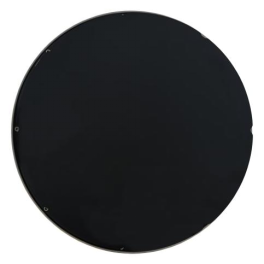
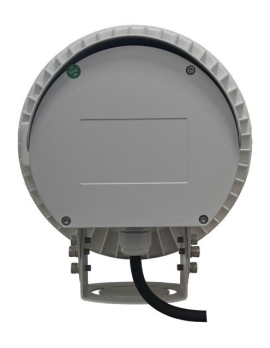
2. Product Appearance
3. Pre-Installation Checklist
Notice
IR light is invisible. You must use the camera’s live view/snapshots to verify performance.
Best Tuning Time
- Evening or ambient light < 400 Lux.
Target Area
- Aim the beam at the windshield area, not the license plate (to avoid overexposure).
Mounting
- Front-facing is recommended. Side mounting may cause A-pillar obstruction.
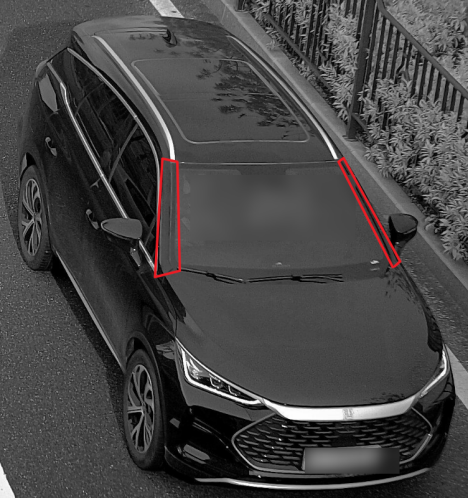
Blockage from the A-pillar
Safety
- Ensure the power source is stable (AC 220V ± 20%).
4. Physical Installation & Positioning
4.1 Layout Strategy
- One light per lane: For 2-lane detection, use two lights.
- Distance: Keep the light at least 3m away from the camera to avoid glare.
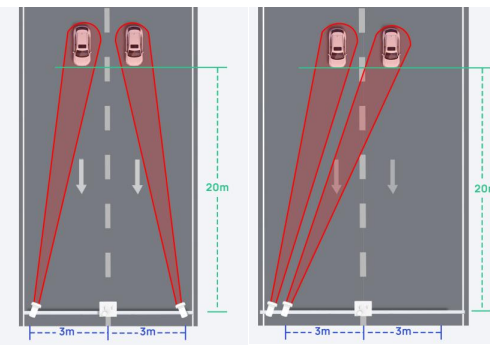
For two-lane detection
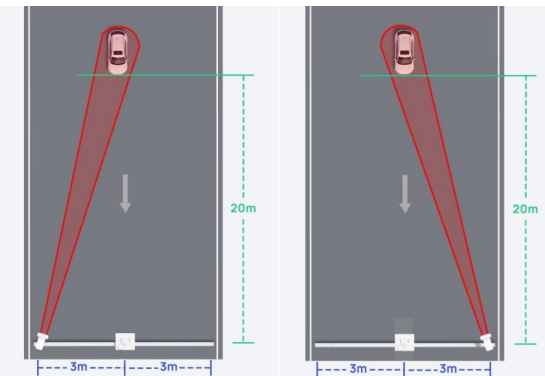
For single-lane detection
- Height/Tilt: Use the table below to set the initial angle based on pole height (H).
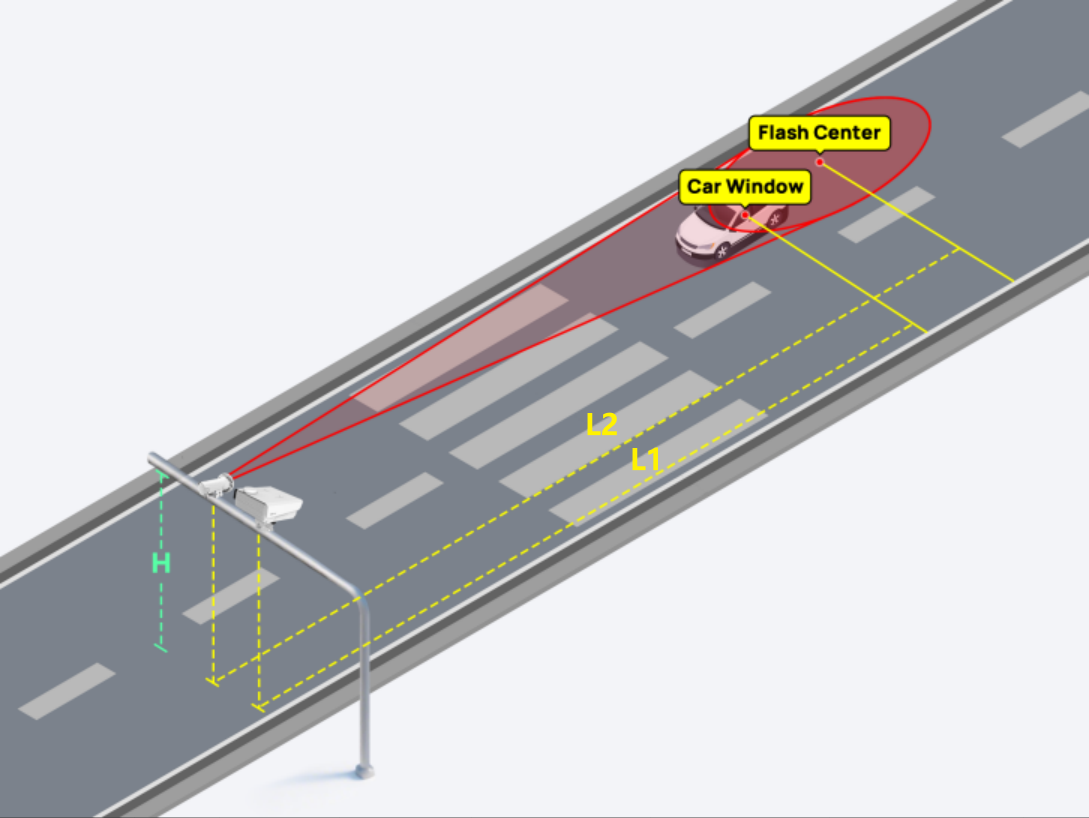
H | Lanes Coverage | Horizontal Angle | Recommended H | Recommended L1(Car Window) | Recommended L2 (Flash Center) | Tilt Angle |
6~8m | 1 | 0° | 6m | 20m | 25m | 12° |
2 | 0° | 6m | 20m | 25m | 13° |
Standard Installation Reference Table
4.2 Mounting Steps
- Loosen the adjustment bracket bolts.
- Secure the bracket to the mounting surface.
- Align the light head in the same direction as the camera lens.
- Important: Ensure the cable outlet faces downward for waterproof integrity.
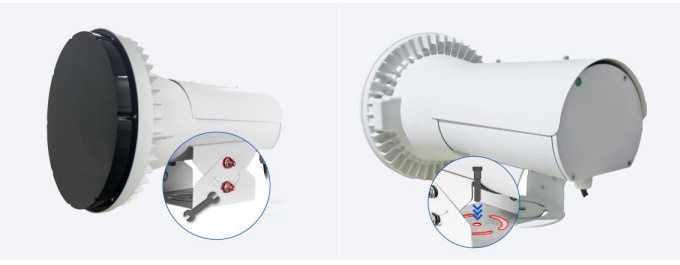
- Camera Installation:
Refer to the TrafficX Camera Installation Manual.
5. Wiring Guide
Warning: Only qualified electricians should perform wiring. Never connect Trigger wires to AC 220V.
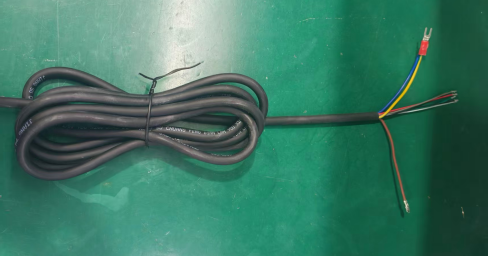
IR Flash Light's signal wires
Step 1: Connect to Camera (8-core Cable)
Signal | Wire Color | Camera Port (TrafficX) |
Strobe Positive + | Grey | Strobe Out 1 (Light Blue) / Strobe Out 2 (Brown) |
Strobe Positive - | Black | Strobe GND (Purple) |
Step 2: Connect Power (3-core Cable)
Wire Color | Definition | Connection |
Brown | AC 220V Live Wire | Power L |
Blue | AC 220V Neutral Wire | Power N |
Yellow-Green | GND (Ground) | Must connect to Earth Ground |
Step 3: Hardware Self-Test
To verify the IR Flash Light is functional before camera integration, power the unit on and use either method to trigger a test flash:
Method 1 (Battery Test): Take the IR Flash Light's signal wires (Grey or Black) and connect them to the terminals of a battery (>1.5V). The light should flash once.
Method 2 (Signal Short Test): Use the IR Flash Light's trigger signal wire (Grey or Black) to briefly touch the cable's outer copper shielding (or the GND wire). The light should flash once.
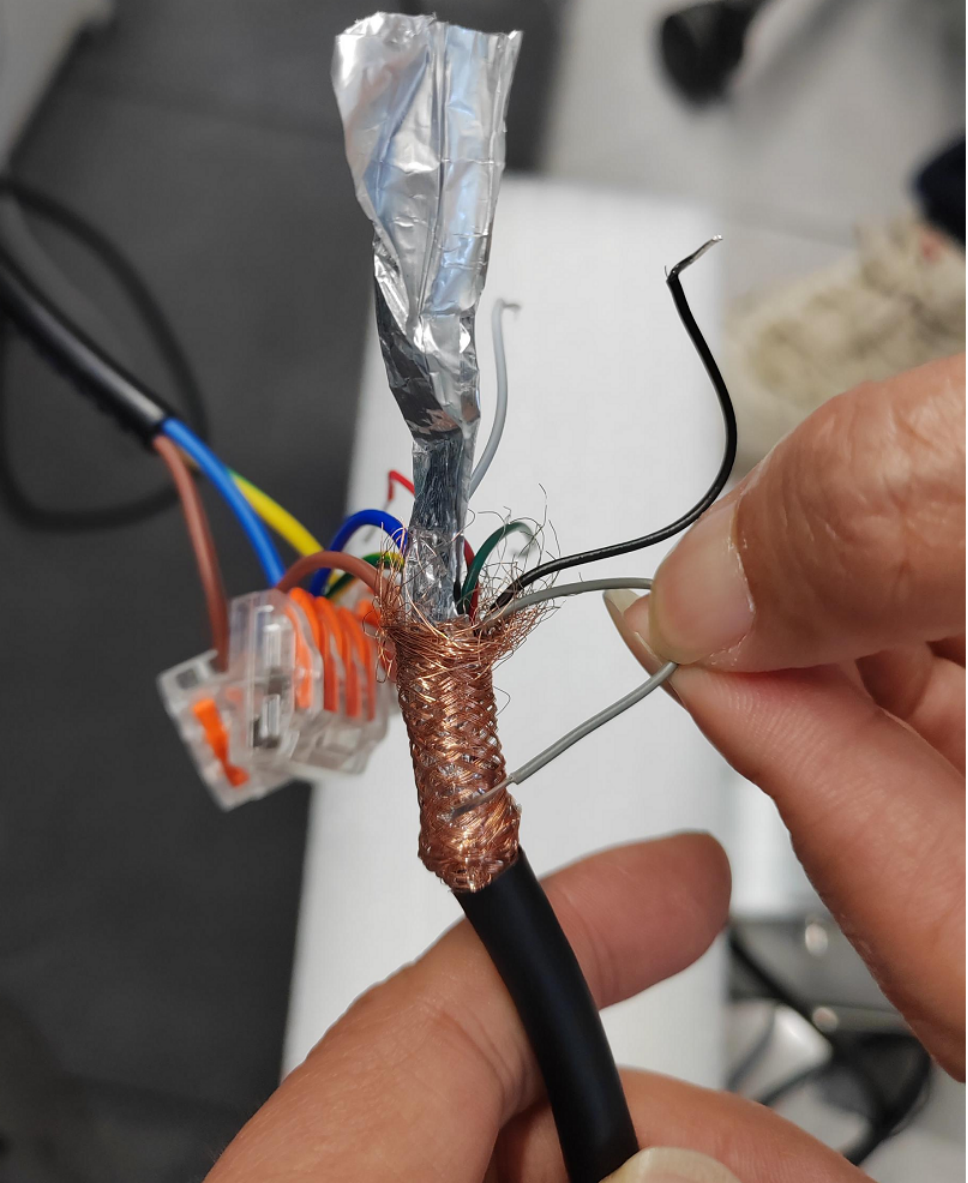
Safety Notes:
①Ensure all wiring joints are sealed and waterproof.
②The cable outlet must face downward to improve waterproof performance.
③The device must comply with local fire-safety regulations.
④Using unstable power sources may cause flash light reboot or missed flashes.
6.Software Configuration & Alignment
6.1 Enable via Camera Web Interface
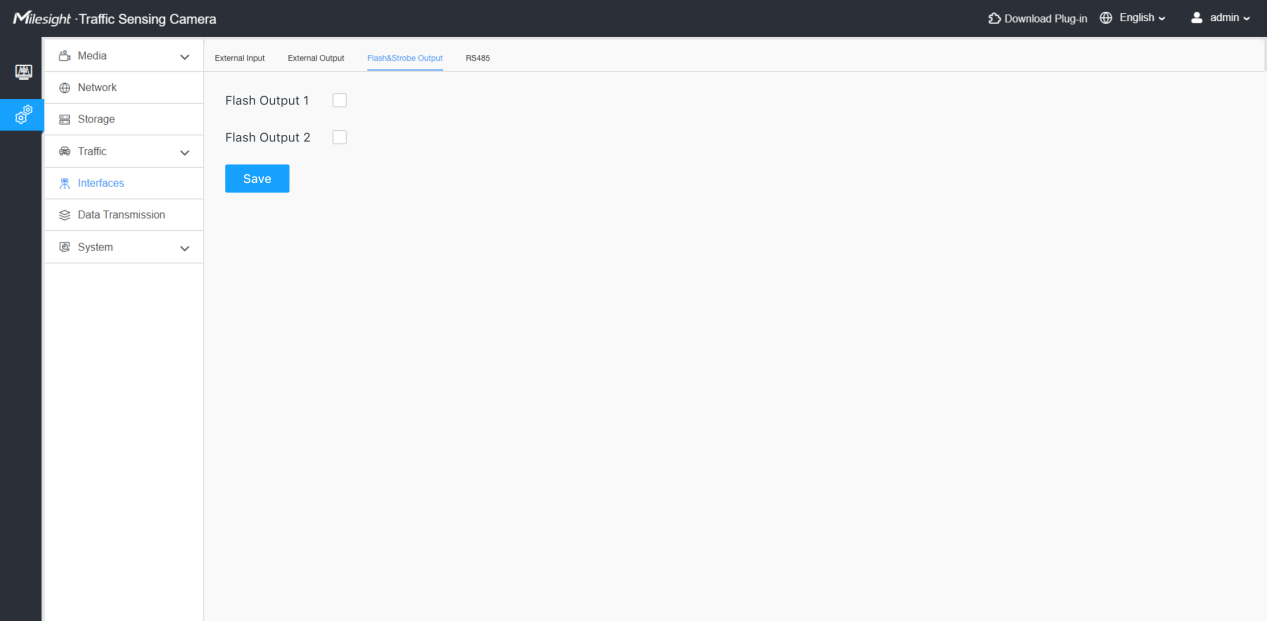
- 1. Navigate to Interfaces > Flash&Strobe Output.
- 2. Enable Strobe Out 1or Strobe Out 2.
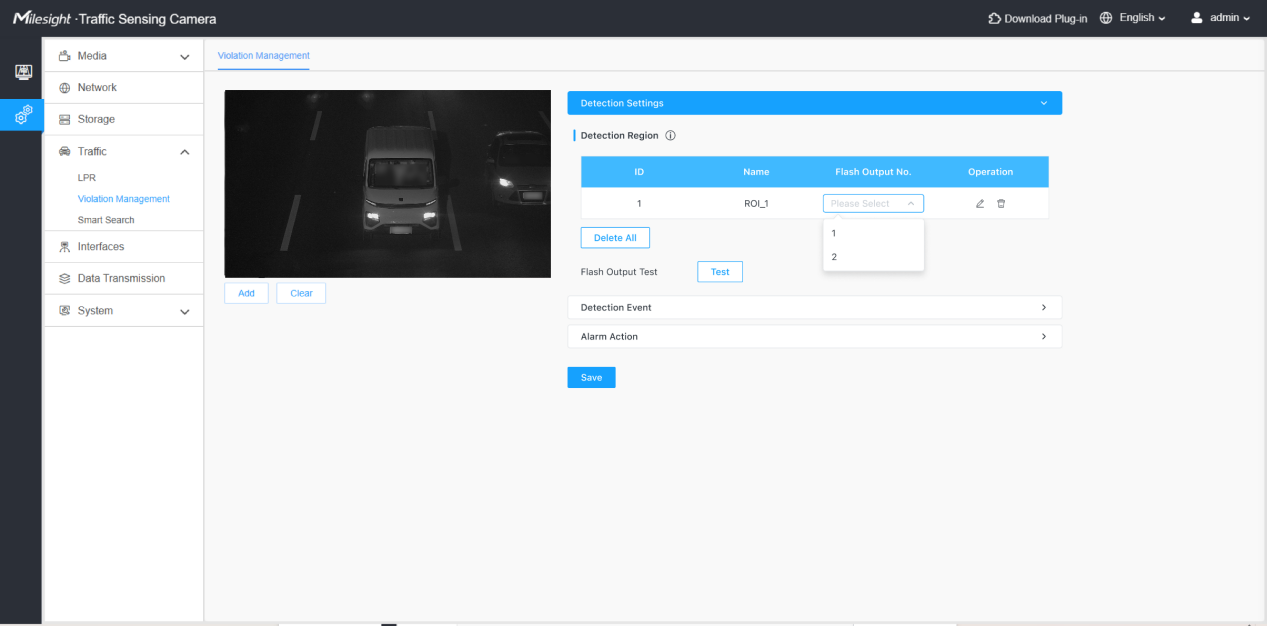
- 3. Go to Violation Management > Detection Settings.
- 4. Draw detection zones and link the corresponding Flash Output to each lane.
6.2 Adjust Light Spot Position
For the most efficient setup, use the Live View interface:
- 1. Open the Live View screen.
- 2. Locate and click the Flash/Manual Trigger button on the interface to trigger a test flash.
- 3. Observe the real-time snapshot:
- (1) Adjust the tilt/rotation until the light spot is a clear round shape on the windshield area.
- (2) Ensure the interior occupants are visible and the license plate is not overexposed.
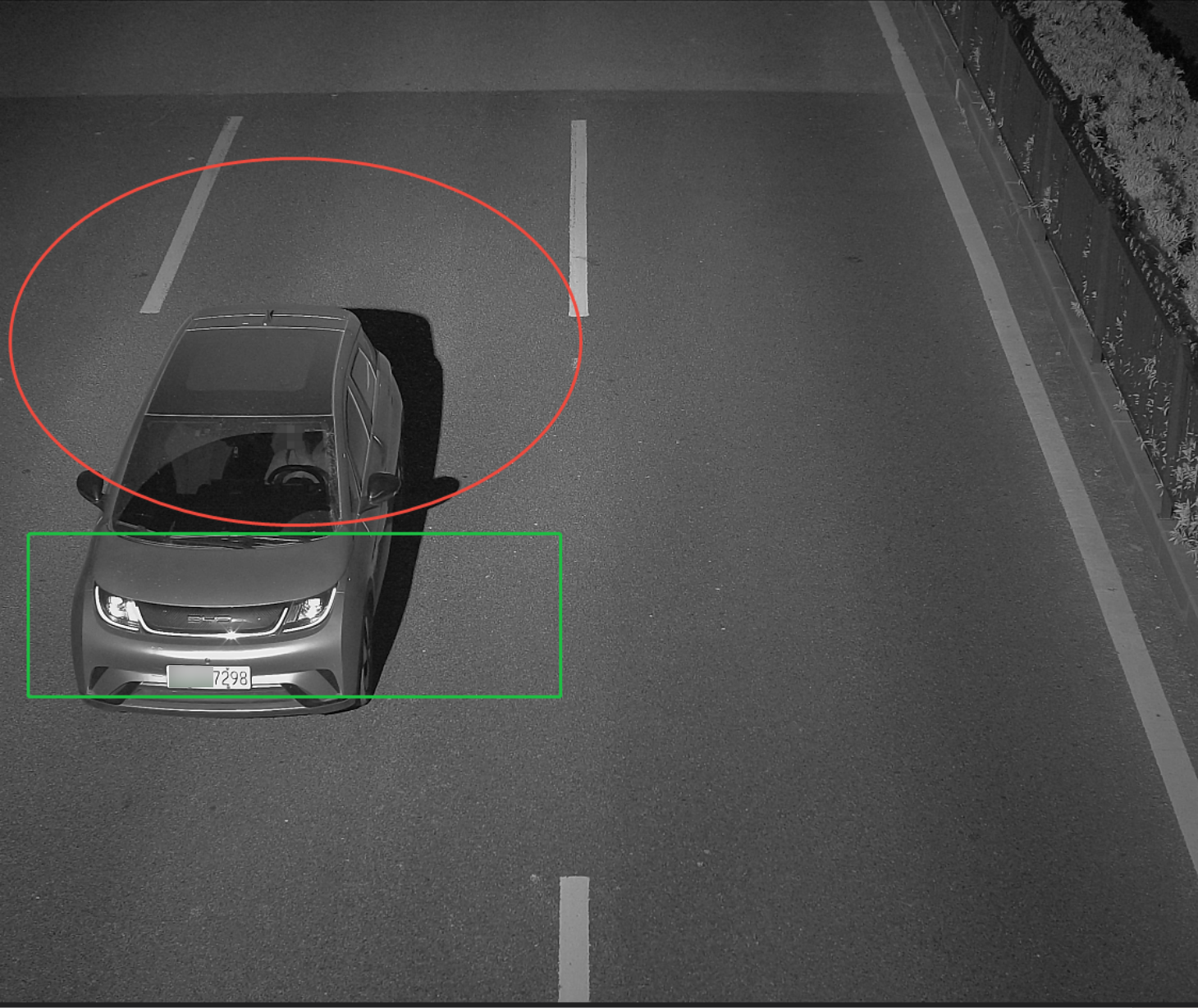
- 4. Once the interior is clearly visible and the plate is not overexposed, tighten all adjustment bolts.
6.3 Violation Event Configuration
After installation and light spot adjustment, configure violation detection via the Web interface.
Seat belt and phone usage detection functions can then be enabled.
Notes:
①Seat belt detection covers the driver and front passenger seats only.
②Phone usage detection applies to the driver seat only.
③To achieve best accuracy, enabling these functions may disable certain other features.
④If face blurring is enabled, it applies only to the flash frame; non-flash frames will not be processed as faces are not visible.
- 7. Troubleshooting
Symptom | Possible Cause | Test Method |
No Flash | Wiring loose or incorrect | Verify Grey/Black wires are seated in the camera's Strobe ports. |
No Flash (Wiring OK) | Unit unpowered/Faulty | Perform the "Short-circuit Test" (Section 5, Step 3). |
Poor In-vehicle Visibility | Aiming issue | Ensure beam center is on the windshield. Verify ambient light < 400 Lux. |
Missed Captures | Unstable Power | Ensure AC 220V is consistent; unstable power causes reboots. |
——————END——————