
1. Background
The rapid development of the security industry necessitates more intelligent video monitoring solutions. With a large volume of video recorded but rarely reviewed, it is common to overlook suspicious behaviors. To address this, Milesight introduces AI Video Content Analysis (VCA), an embedded application designed for the entire range of Milesight network cameras, ensuring that no critical events are missed.
2. Introduction
Milesight AI VCA technology revolutionizes video surveillance by equipping Milesight cameras with advanced deep-learning algorithms. Through intelligent filtering for human and vehicle detection, it not only ensures stronger physical security but also provides valuable trend insights. With real-time alerts and actionable data, this cutting-edge technology enhances video security management and streamlines intelligent investigations, delivering superior security capabilities for users.
Milesight’s VCA features deliver optimal performance when cameras are installed and operated in accordance with this guide. For best results, please follow the instructions carefully, as AI video analysis may be affected by lighting conditions and the camera’s field of view.
This installation guide provides the minimum requirements and recommendations for using the various VCA features. To ensure improved detection accuracy, always use the latest VCA algorithm. For detailed information about the algorithm, please refer to the Milesight Event List.
The performance of each feature cannot be guaranteed if the instructions are not properly followed. If you have any questions, please contact our Support Team at support@milesight.com.
3. Preview
There are several factors that may influence the detection performance. Including: poor image quality, improper installation, and incorrect web settings.
Factors Affecting Maximum Detection Distance
- Camera series and model
- Camera lens: a longer focal length allows for a longer detection range
- Environmental conditions: for example, heavy rain or poor lighting can impact detection distance and accuracy.
Possible Causes of Missed Detections or Delays
- Excessive image noise
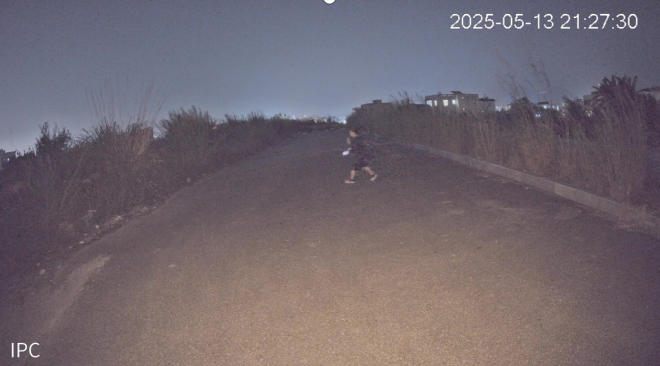
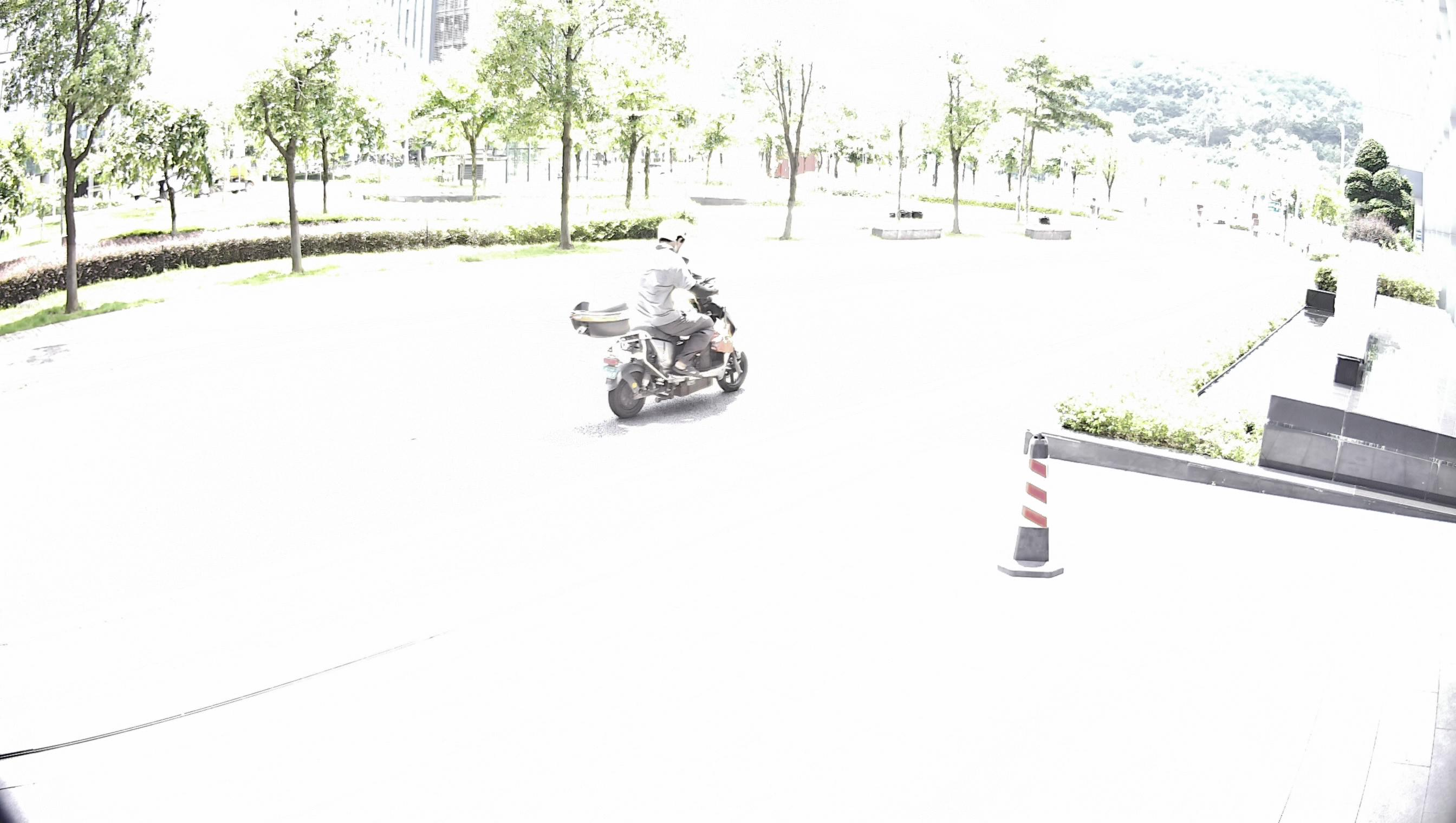
- Insufficient lighting or direct strong light shining into the camera.
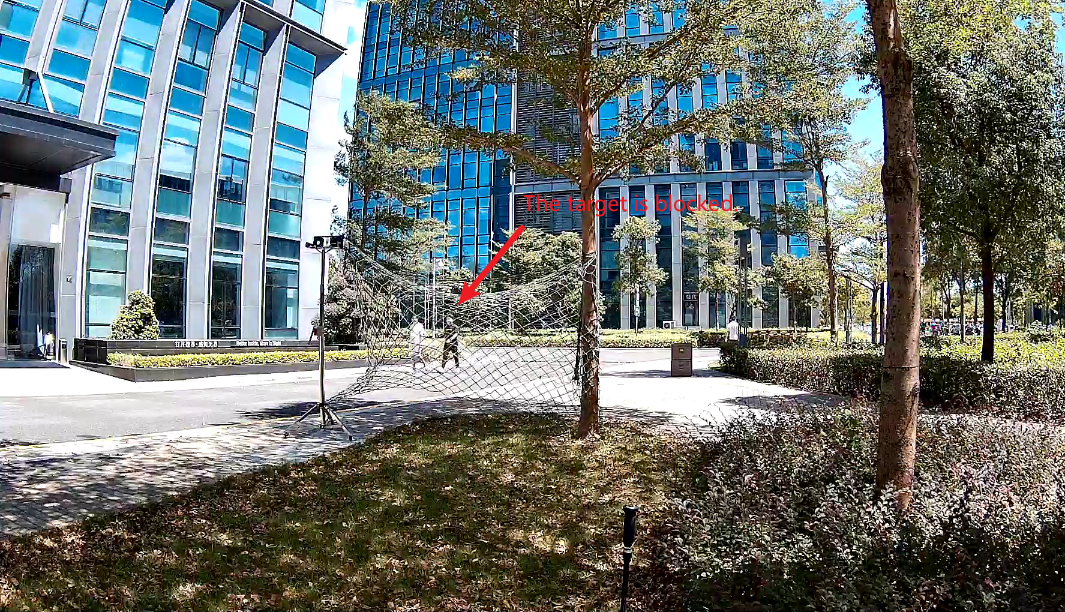
- Targets being partially or fully obstructed.
- Animals of a similar size to humans.
- Adverse weather conditions such as fog, rain, or snow.
- In some scenarios: flying insects, heavy rain, or moving shadows.
Ensuring proper installation, a clear and well-adjusted image, and accurate web configuration is crucial for achieving optimal detection performance.
4. Installation Guide
4.1. Installation Recommendations
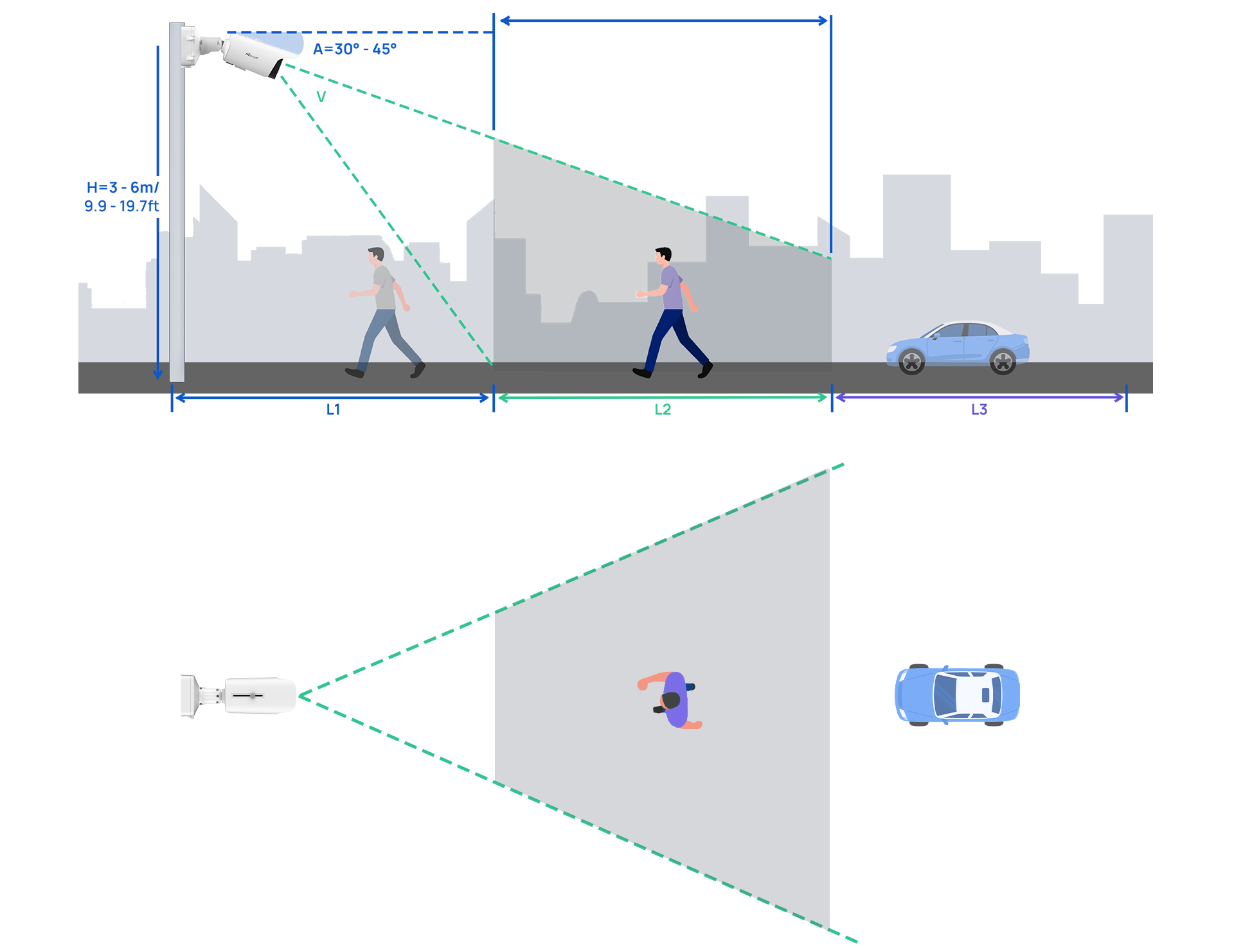
- Install the camera at a height of 3 to 6 meters (9.9 to 19.7 ft).
- For optimal object detection, set the camera tilt angle between 30° and 45° (depending on the camera model and lens used), creating a side-view of the scene.
- Objects can be reliably recognized when they remain visible within the camera’s field of view and detection distance. The total range (L=L1 + L2) represents the max. detection distance. The range (L2 ) indicates the effective field of view of the camera. Objects located within the L1 or L3 range cannot be detected.
- For consistent detection performance, always maintain the recommended height and angle.
4.2. Tilt Installation Guidance
- 1) Maintain proper tilt angle
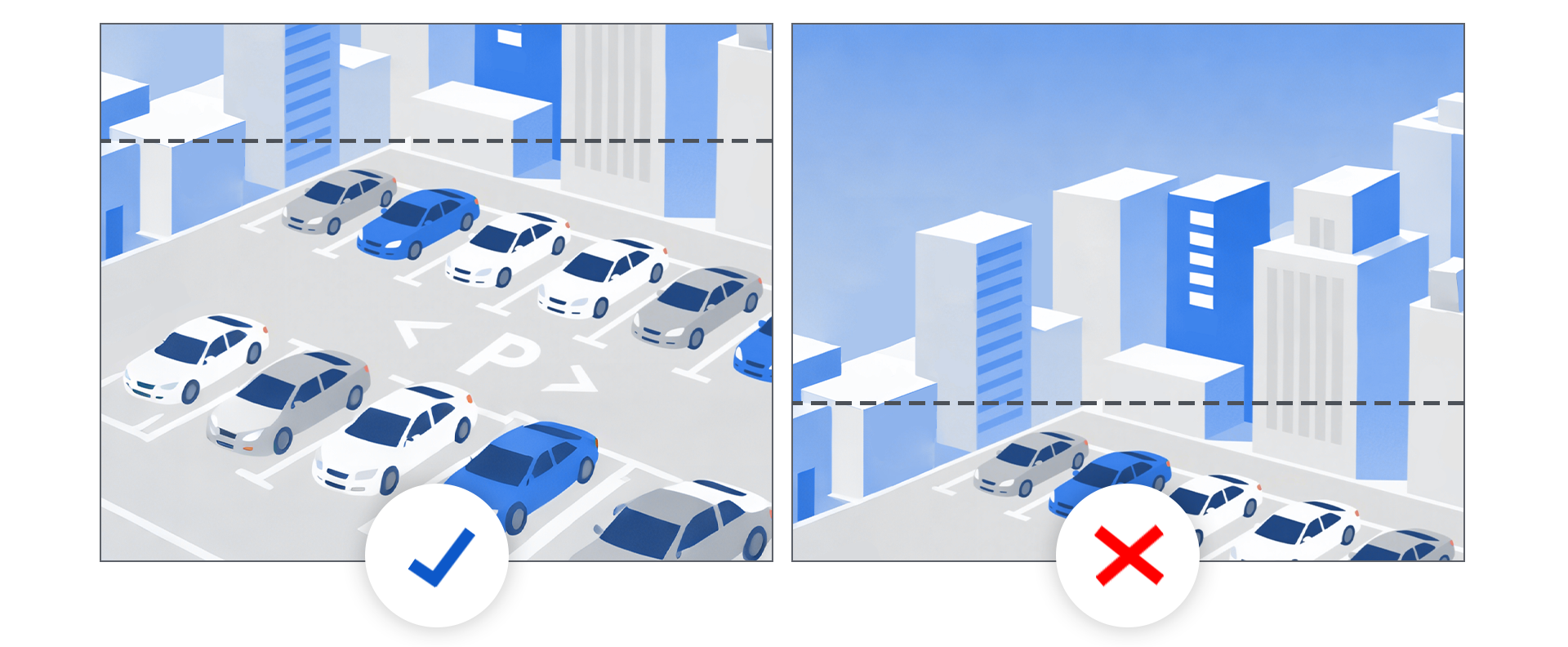
Keep the tilt angle between 30° and 45° (depending on the specific camera model and lens used). The camera should be tilted downward so that the center of the image is below the horizon to improve the detection accuracy (see example image 1).
- 2) Avoid steep overhead mounting
Do not install the camera in a way that it looks directly downward from above, as this reduces the camera’s ability to detect and classify objects (see example image 2).
4.3. Expected Movement of Objects
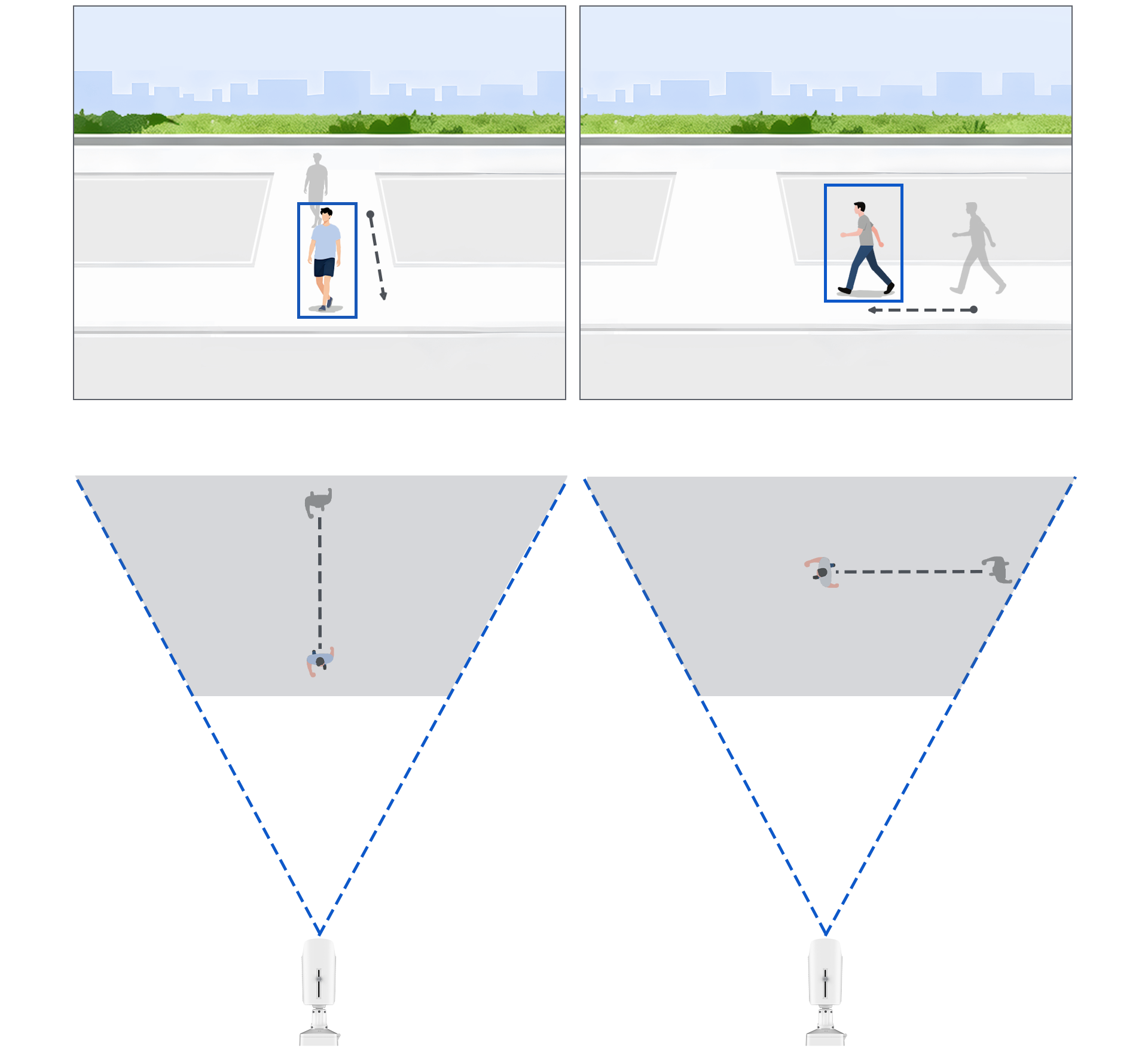
Objects that approach the camera in a straight line typically require a longer movement distance before being detected. In contrast, objects moving perpendicular to the camera’s field of view are detected more quickly and reliably.
For example, in Line Crossing Detection, it is recommended to place the detection line horizontally aligned with the camera’s field of view to ensure optimal performance.
4.4. Target Object Visibility Requirements
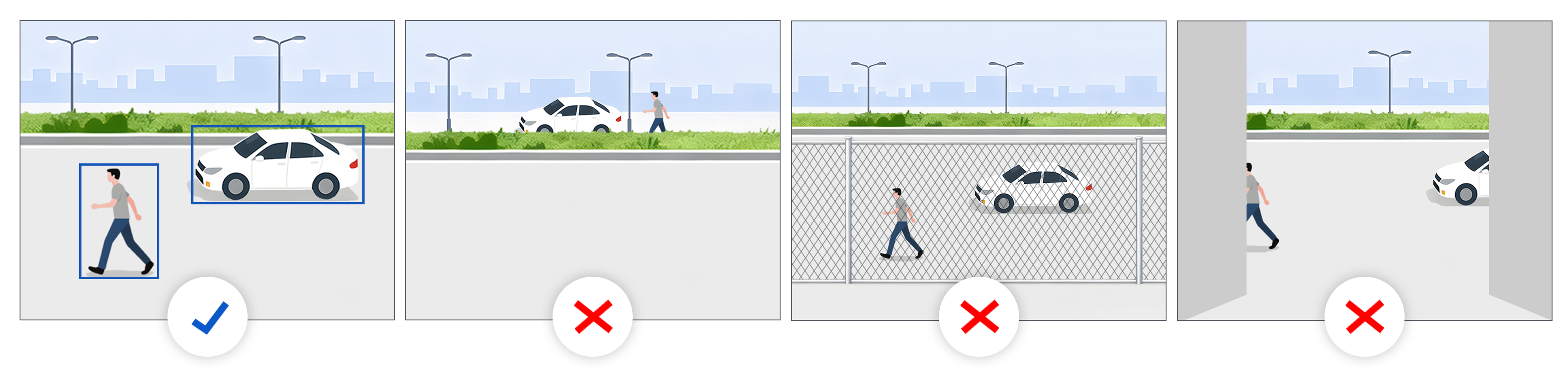
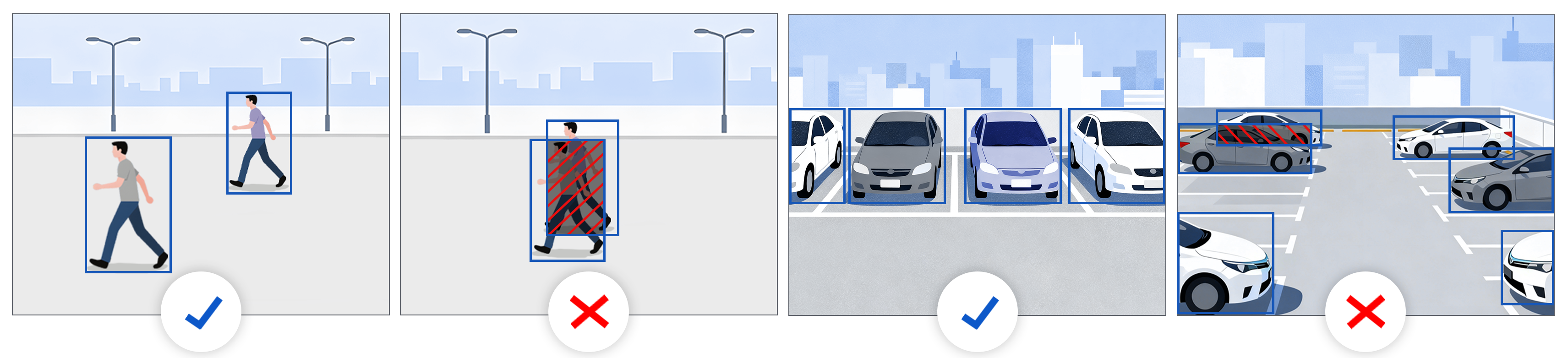
All parts of the person or vehicle target object must be clearly visible in the field of view, otherwise, detection accuracy will be affected; For example: when multiple objects overlap or are partially obscured, the detection performance may be significantly reduced.
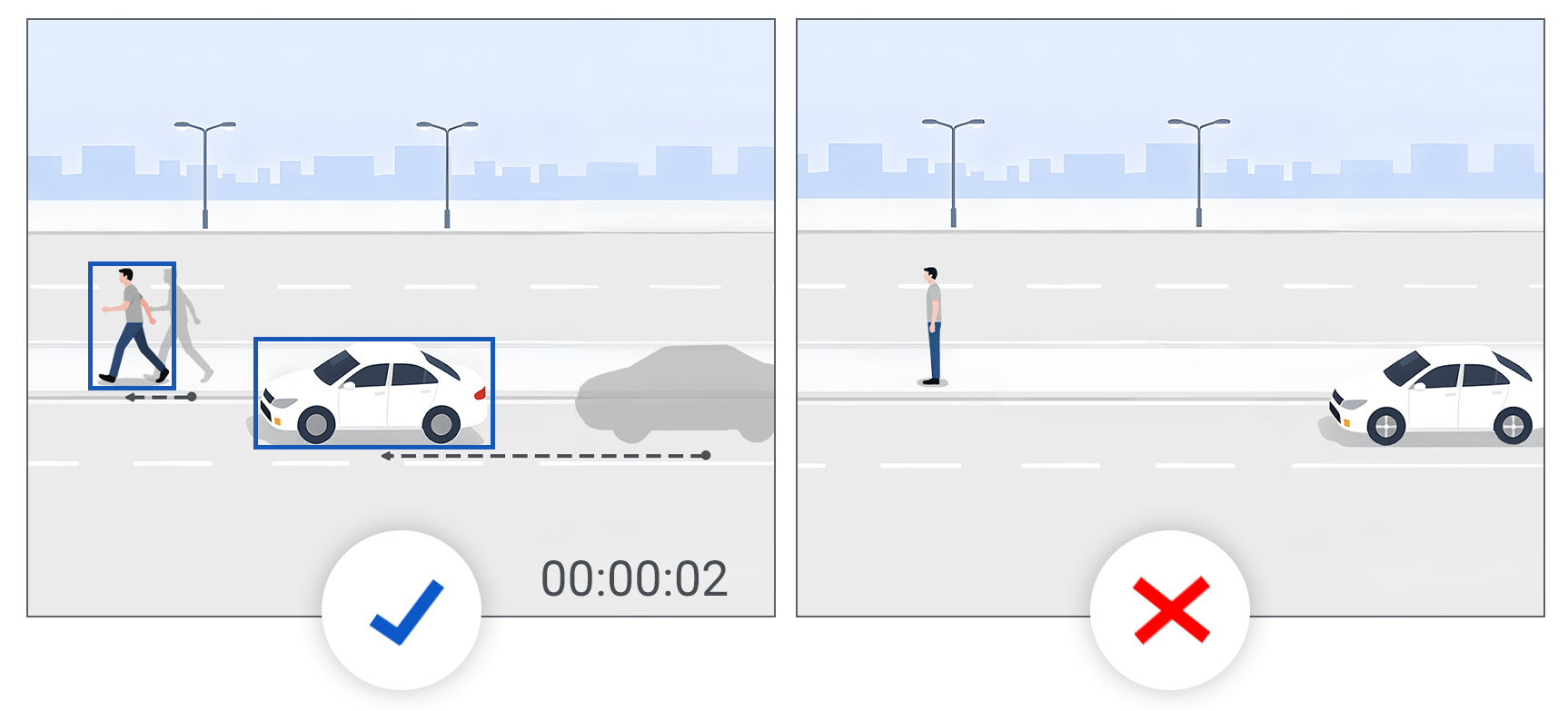
4.5. Object Motion Requirements
Objects must move within the scene to be detected. Static objects are filtered out and cannot be detected (including actions such as marching in place). Only moving objects are recognized by the system.
4.6. Calculate the Object Size
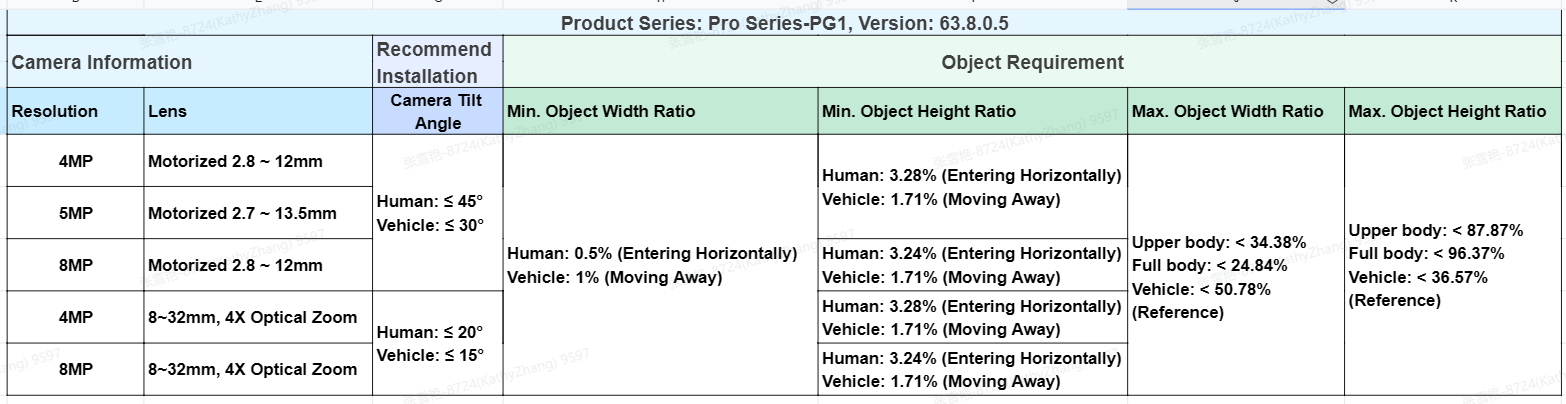
To achieve optimal detection performance, make sure the target object is within the recommended pixel range. Please consult the recommended percentage sheet and calculate the corresponding object pixels for the specific camera model.
Example:
For an MS-C81XX-XXXPG1 camera with
- 8MP resolution
- 8 ~ 32mm, 4× optical zoom lens
- Firmware version 63.8.0.5
The recommended installation tilt angle is less than 20° for reliable human detection.
- When the resolution is set to 2592 × 1944
- Min. human object width = 2592 × 0.5%≈13pixels
- Min. human object height = 1944 × 3.24%≈63pixels
- Max. human object width = 2592 × 24.84%≈644pixels
- Max. human object height = 1944 × 96.37%≈1873pixels
Note:
The tilt angle, object ratio, and recognition distance vary depending on the camera’s resolution, lens, and firmware version. For detailed specifications of your device, please refer to the Milesight VCA Event Installation Recommendations and Detection Distance List Sheet.
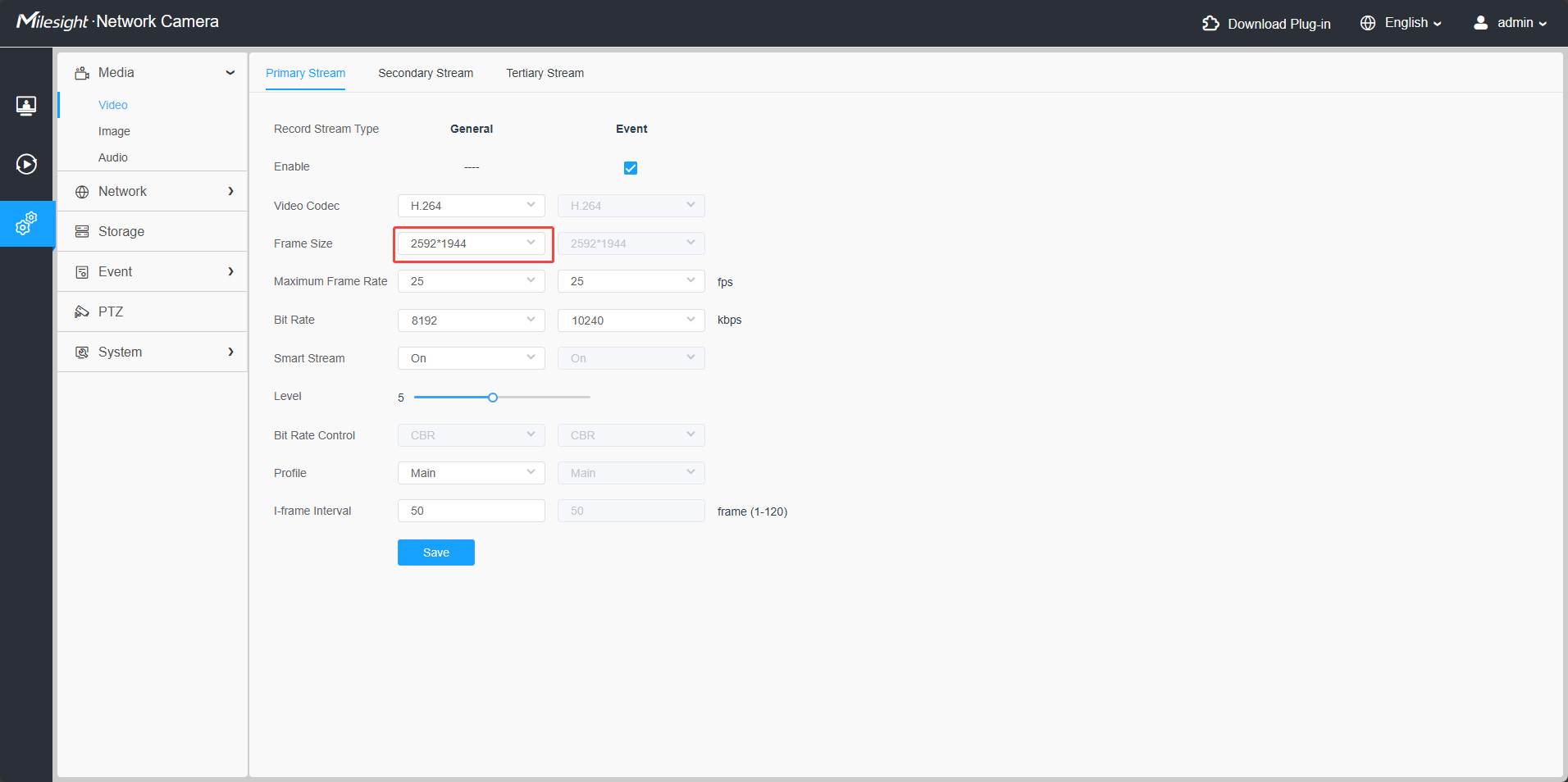
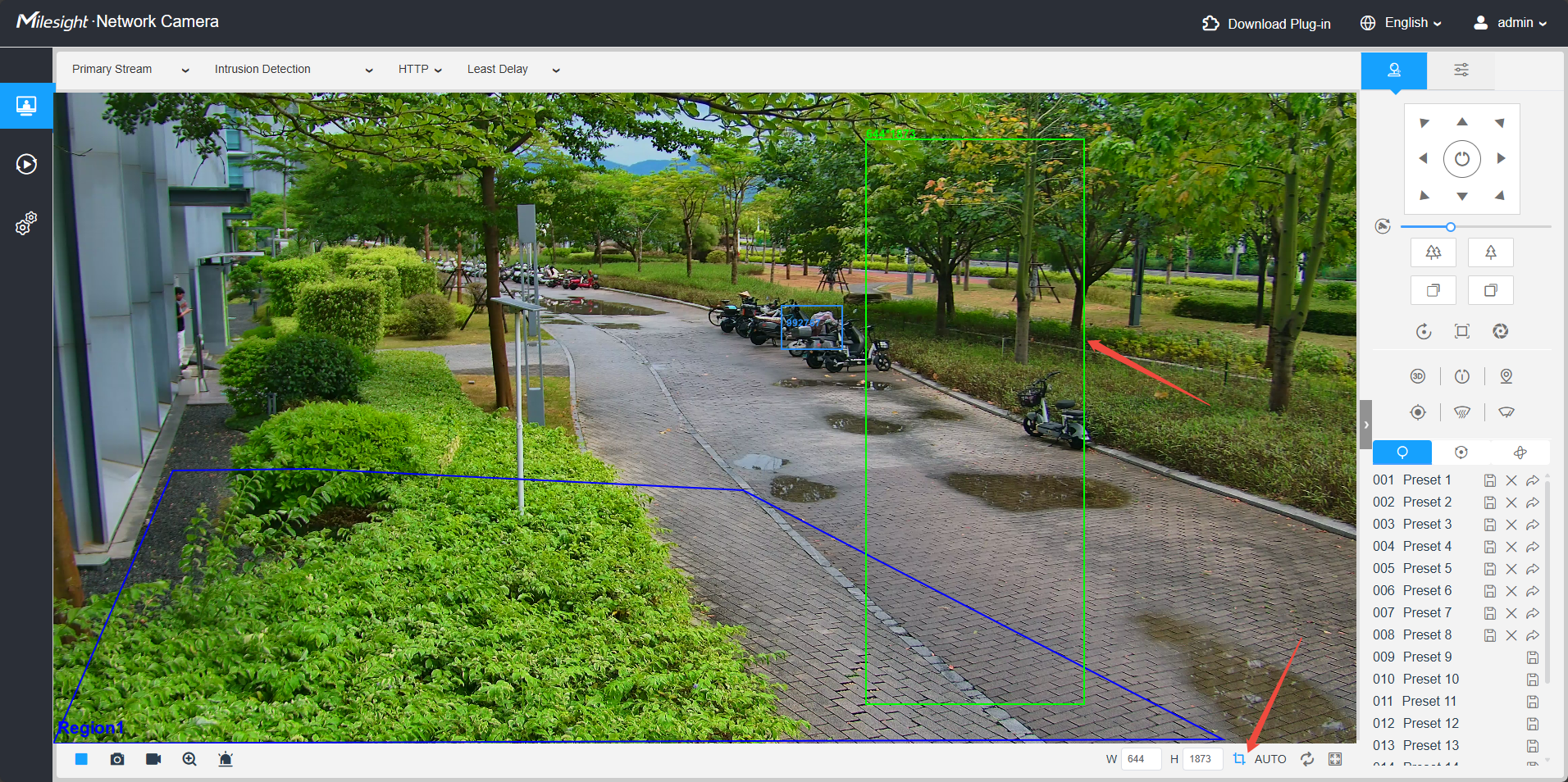
After calculating the pixel values, you can use the Pixel Counter tool to verify the actual object size within the image. Based on the measured object size, adjust the camera installation and set the focus distance accordingly to ensure optimal detection performance.
5. Recommended Web Configuration
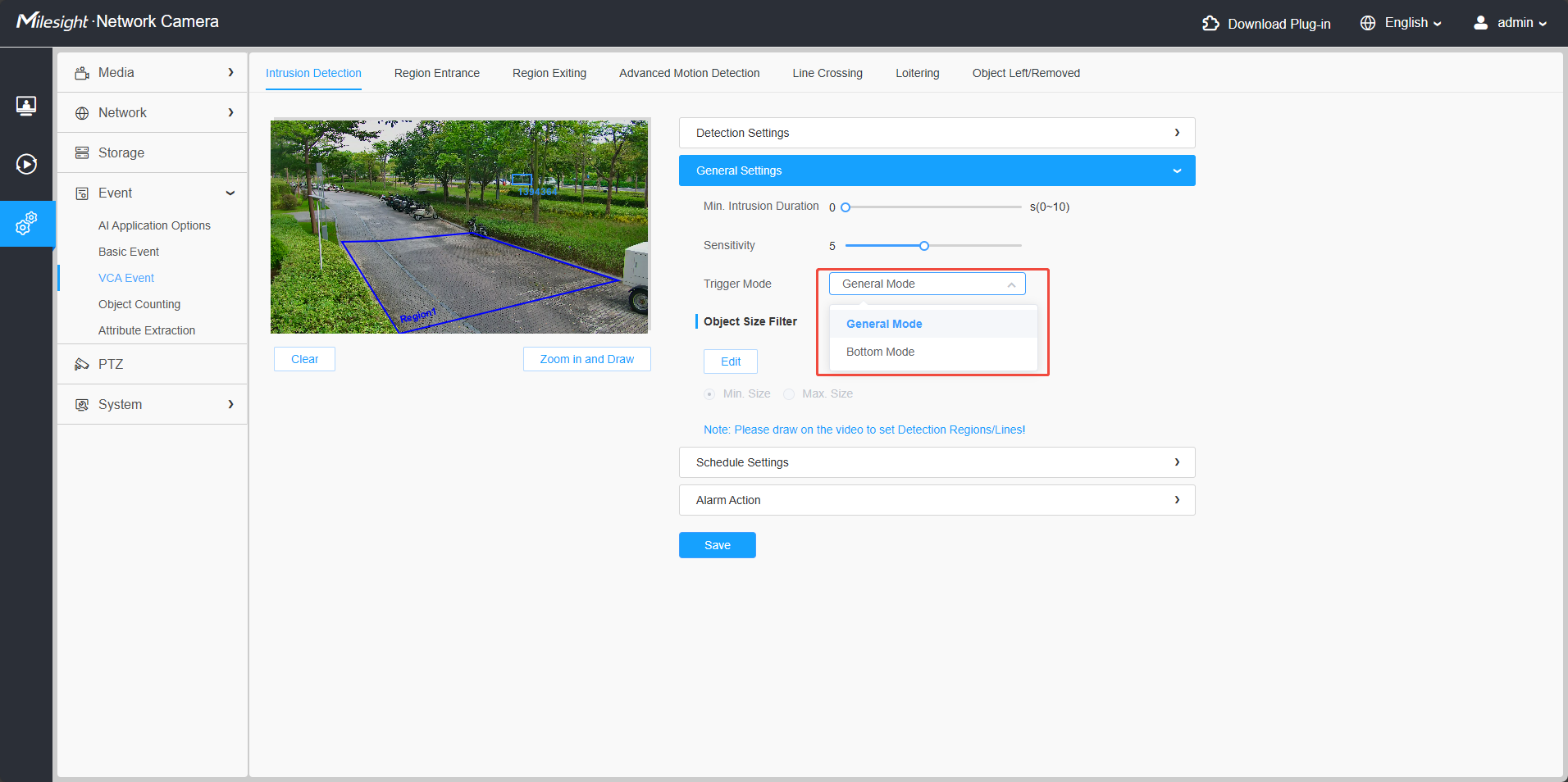
- (1) Set the Appropriate Trigger Mode
Configure the trigger logic mode according to the application requirements. Two options are available. General Mode: The alarm is triggered when the object’s body roughly enters the detection area. Bottom Mode: The alarm is triggered as soon as approximately one-quarter of the object’s body enters the detection area. Recommended for scenarios that require higher sensitivity to intrusion status, where bottom detection is preferred.
- (2) Optimize Detection Parameters
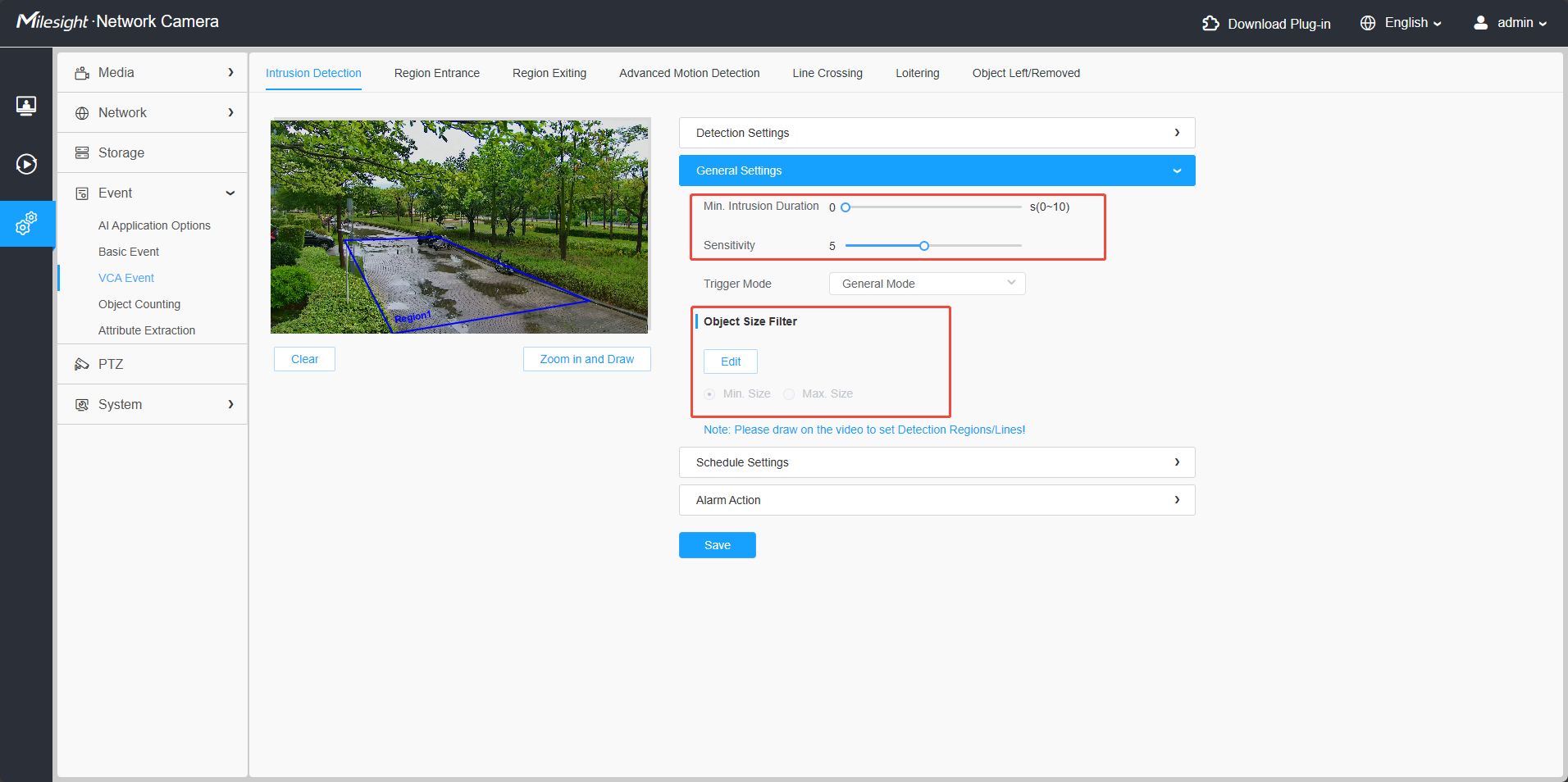
- Configure max. and min. object size parameters to filter out irrelevant objects.
- Set appropriate mini. duration for functions such as intrusion or loitering detection.
- Adjust sensitivity settings to match the characteristics of the monitored scene.
For more detailed operation instructions, please visit the Milesight Document Center on our official website and refer to corresponding product User Manual.
——END——